 Orbit
Orbit
 Xstreami










A native command replaces the old VACUUM FULL / CLUSTER trade-off — and its CONCURRENTLY mode means you no longer have to choose between reclaiming disk space and keeping the table online. PostgreSQL 19 REPACK is one of the most anticipated PostgreSQL 19 features for exactly this reason.
If you've spent any real time as a PostgreSQL DBA, you already know the drill: a table bloats up after a big delete or an update-heavy workload, autovacuum can't return the space to the OS, and you're left choosing between two bad options. Run VACUUM FULL and lock the table for the duration of the rewrite. Or reach for the third-party pg_repack extension and hope your version, your permissions, and your maintenance window all line up.
PostgreSQL 19 changes that calculus. It ships a native REPACK command that folds VACUUM FULL and CLUSTER into one code path, and — more importantly for anyone running production RDS or Azure PostgreSQL instances — adds a CONCURRENTLY option that avoids holding an exclusive lock for the bulk of the operation. This is one of the changes we've been most interested in testing against our own bloated production tables at Mafiree, so let's go through what it actually does, how it works under the hood, where it holds up in a hands-on test, and where the sharp edges still are.
PostgreSQL VACUUM FULL vs REPACK: Why the Old Tools Weren't Enough
Before REPACK, you had exactly two ways to physically rewrite a bloated table in core PostgreSQL:
- VACUUM FULL — rewrites the table into a new file, discarding dead tuples, and returns the freed space to the operating system.
- CLUSTER — does the same rewrite, but also physically reorders the rows to match a chosen index, which helps range-scan performance.
Both commands share the same fundamental problem: they take an ACCESS EXCLUSIVE lock for the entire rewrite. On a multi-hundred-GB table, that's not a five-minute maintenance blip — it's an outage window you have to schedule, get sign-off for, and hope finishes on time. That's exactly why the community extension pg_repack became a standard part of most DBAs' toolkits: it works around the lock problem by building a shadow table, capturing changes via triggers, and swapping the two at the end.
What PostgreSQL REPACK Actually Is
Rather than keep VACUUM FULL and CLUSTER as two separate commands with separate code paths, PostgreSQL 19 introduces a single unified command. The core insight is that both operations were always doing the same underlying work — copying live tuples into a new file and swapping it in — and only differed in whether that copy preserved index order. PostgreSQL REPACK absorbs both behaviors as two modes of the same operation, which also gives the project a single place to add future functionality like concurrency.
Internally, REPACK copies the table's live rows (skipping dead tuples) into a new file, rebuilds every index into new files as well, and then swaps the old and new files in.
Syntax as of Beta 2
\h repack. For the latest details as the beta evolves, the official PostgreSQL 19 Release Notes and PostgreSQL 19 REPACK Documentation are the sources of record.Everyday usage
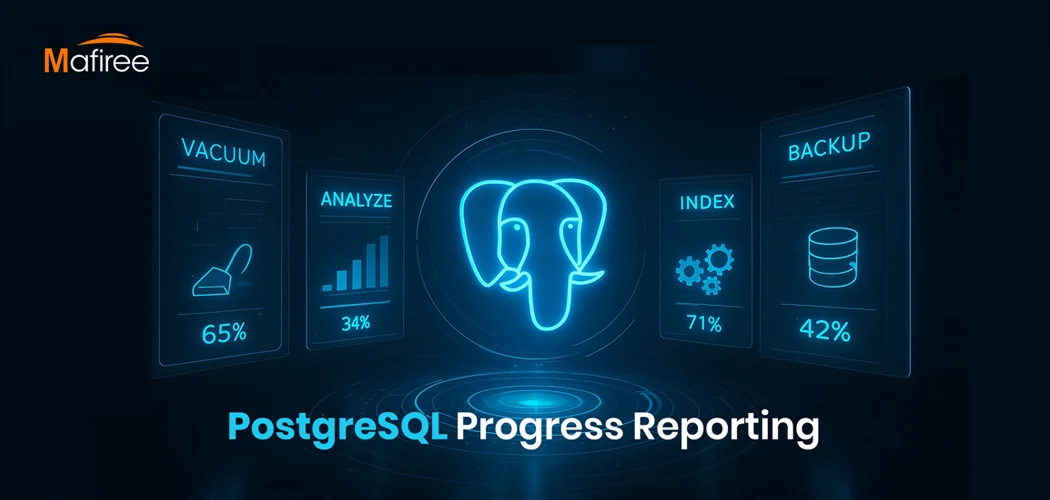
There's also a new pg_stat_progress_repack view for watching an in-flight rewrite — a big improvement over squinting at pg_stat_activity and guessing how much longer VACUUM FULL has left. More on exactly what it exposes further down.
The Part That Actually Matters: CONCURRENTLY
This is the headline feature, and it's the one I'd bet most of you reading this from a production DBA seat actually care about. Add CONCURRENTLY and REPACK no longer holds an exclusive lock for the whole rewrite:
Here's what happens under the hood. Instead of taking ACCESS EXCLUSIVE up front, REPACK takes only a SHARE UPDATE EXCLUSIVE lock — the same lightweight lock autovacuum uses — and copies the table under an MVCC snapshot. It then opens a logical replication slot at that snapshot and hands off to a background worker, which uses logical decoding to capture every insert, update, and delete that happens on the original table while the copy is in progress. Those captured changes get stashed and replayed against the new copy right before the final swap. The exclusive lock only gets taken for that last, brief swap step — conceptually similar to how TRUNCATE behaves.
A Quick PostgreSQL Tutorial: Testing REPACK Yourself
Numbers land better than descriptions, so here's a quick reproducible test you can run against a scratch database to see the real PostgreSQL performance impact before trying this on anything that matters. Create a million-row table, hammer it with updates and deletes to simulate months of churn, then compare sizes before and after.
1. Create and populate a scratch table
2. Simulate churn: repeated full-table updates plus a bulk delete
PostgreSQL Optimization: Measuring the REPACK Impact
3. Check the table size:
That's 1.58 GB of on-disk footprint for what's still, logically, a table of under a million live rows — table storage alone at 1341 MB, plus another 241 MB tied up in the two indexes. All of it is row versions and dead tuples that MVCC hasn't been able to reclaim on its own.
4. Repack it:
With VERBOSE on, the output tells you exactly what it found and what it cost: how many row versions were removable versus not, the page count it scanned, and CPU/elapsed time for the rewrite — followed by the ANALYZE pass if you asked for it, complete with buffer and WAL usage stats. It's the kind of detail you'd otherwise have had to piece together from pg_stat_activity and a stopwatch.
Watching It Live: pg_stat_progress_repack
Open a second session while the repack is running and query the new progress view directly:
Here's what it exposes:
- Phase
- Command
- Relid
- Repack_index_relid
- Heap_tuples_scanned
- Heap_tuples_inserted
- Heap_tuples_updated
- Heap_tuples_deleted
- Heap_blks_total / scanned
- Index_rebuild_count
The phase column is the one worth remembering: when a support engineer asks "is it stuck?", you can answer with "it's in the index-rebuild phase, N of M done" instead of guessing.
Limitations to Know Before You Reach for CONCURRENTLY
REPACK (CONCURRENTLY) cannot be used when:
- The table is UNLOGGED
- The table is partitioned (individual partitions can still be repacked one at a time)
- The table has no primary key and no replica identity set
- You're running it inside a transaction block
To repack a table at all — concurrent or not — the role running it needs the MAINTAIN privilege on that table. Worth checking upfront if you're running these as a lower-privileged migration or automation user rather than a superuser, and worth reinforcing before you run this in PostgreSQL production environments rather than a scratch database.
Should You Still Keep pg_repack Around?
Until your environments are actually on PostgreSQL 19 GA, yes — pg_repack remains the only online option on 18 and earlier. And even after upgrading, its per-partition batch tooling and its track record on very large, long-running jobs mean it's worth keeping in the toolbox for edge cases the new core command doesn't cover yet, particularly partitioned tables as a whole. But for the common case — a single logged table with a primary key that's bloated from update or delete churn — native REPACK (CONCURRENTLY) removes a dependency, removes a maintenance window, and gives you a progress view for free. That's a meaningful upgrade for anyone managing bloat across dozens of client schemas — and if you'd rather not work out the transition on your own, Mafiree's PostgreSQL consulting team can help you plan it.
Conclusion
Table bloat was never really a mystery — every PostgreSQL DBA knows exactly why it happens and exactly how to fix it. What was missing was a way to fix it that didn't force a trade-off between "reclaim the space" and "keep the table online." VACUUM FULL gave you the first at the cost of the second. pg_repack gave you both, but only if you could get an extension installed and version-matched on every environment you touched. REPACK in PostgreSQL 19 is the first time that trade-off disappears inside core itself, with a progress view thrown in so you're not flying blind while it runs — a meaningful upgrade for your database maintenance routine.
Planning your next PostgreSQL upgrade, or evaluating pg_repack and other bloat-maintenance strategies? Mafiree's PostgreSQL consulting and 24x7 DBA team can help you plan upgrades, evaluate maintenance options, and build a reliable database operations strategy.
Talk to Our PostgreSQL DBA Team