
Mafiree logo
  • About
  • Services
  • Blogs
  • Careers
  • Products
    • orbit logo Orbit
    • streamer logo Xstreami
  • Contact
Schedule a Call
Menu
  • About
  • Services
  • Blogs
  • Careers
  • Products
    • orbit logo Orbit
    • streamer logo Xstreami
  • Contact
  • Schedule a Call
Database
Database Database Managed Services
MySQL MySQL
MySQL Consulting Services
MySQL Migration Services
MySQL Optimization & Query Tuning
MySQL Database Administration
MySQL Backup & Recovery
MySQL Security & Maintenance
MySQL Cloud Services (AWS RDS, Aurora, Google Cloud SQL, Azure)
MySQL for Ecommerce
MySQL High Availability & Replication
MongoDB MongoDB
MongoDB Consulting Services
MongoDB Migration Services
MongoDB Optimization & Query Tuning
MongoDB Database Administration
MongoDB Backup & Recovery
MongoDB Security & Maintenance
MongoDB Cloud (Atlas)
MongoDB Solutions by Industry
MongoDB High Availability & Replication
PostgreSQL PostgreSQL
PostgreSQL Consulting
PostgreSQL Migration & Upgrades
Performance Tuning & Query Optimization
PostgreSQL Administration & Managed Services
High Availability, Clustering & Replication
PostgreSQL Backup, Recovery & Disaster Planning
PostgreSQL Security, Compliance & Auditing
PostgreSQL for Analytics & Data Warehousing
PostgreSQL on Cloud & Containers
PostgreSQL Extensions & Open-Source Integrations
PostgreSQL for Every Industry
SQL Server MSSQL
MSSQL Consulting Services
MSSQL Migration Services
MSSQL Optimization & Query Tuning Services
MSSQL Database Administration Services
MSSQL Backup & Recovery Services
MSSQL High Availability & Replication Services
MSSQL Security & Compliance Services
MSSQL Performance Monitoring & Health Checks
MSSQL Solutions by Industry
Aerospike Aerospike
Aerospike Consulting Services
Aerospike Migration Services
Aerospike Performance Optimization & Tuning
Aerospike Database Administration
Aerospike Backup & Recovery
Aerospike High Availability
Aerospike Cloud & Hybrid Deployments
Aerospike for Real-Time Applications (AdTech, FinTech, Retail, IoT)
Analytics DB
Analytics DB Analytics DB Services
Clickhouse Clickhouse
ClickHouse Consulting Services
ClickHouse Migration Services
ClickHouse Optimization & Query Tuning
ClickHouse Database Administration
ClickHouse Backup & Recovery
ClickHouse Security & Maintenance
ClickHouse Cloud Services (ClickHouse Cloud, AWS, GCP, Azure)
ClickHouse Solutions by Industry
ClickHouse High Availability & Replication
TiDB TiDB
TiDB Consulting & Architecture Planning
TiDB Administration & Maintenance
TiDB Security and Privacy Maintenance
TiDB Performance & Query Optimization
TiDB Migration Services
TiDB Backup & Disaster Recovery
TiDB High Availability Solutions
TiDB Solutions by Industry
TiDB Cloud Services
ScyllaDB ScyllaDB
ScyllaDB Consulting & Architecture Planning
ScyllaDB Administration & Maintenance
ScyllaDB Security and Privacy Maintenance
ScyllaDB Performance & Query Optimization
ScyllaDB Migration Services
ScyllaDB Backup & Disaster Recovery
ScyllaDB High Availability Solutions
ScyllaDB Solutions by Industry
ScyllaDB Cloud Services
DevOps
DevOps DevOps Services
Version Control Version Control
Kubernetes Kubernetes
Infrastructure Infrastructure Management
Web Servers Web Servers
Networking
Networking Networking Services
Basic Basic
Advanced Advanced
MySQL MySQL
MongoDB MongoDB
PostgreSQL PostgreSQL
MSSQL MSSQL
Aerospike Aerospike
Clickhouse Clickhouse
TiDB TiDB
ScyllaDB ScyllaDB
Version Control Version Control
Kubernetes Kubernetes
Infrastructure Infrastructure Management
Web Servers Web Servers
Basic Basic
Advanced Advanced
MySQL Consulting Services
MySQL Migration Services
MySQL Optimization & Query Tuning
MySQL Database Administration
MySQL Backup & Recovery
MySQL Security & Maintenance
MySQL Cloud Services (AWS RDS, Aurora, Google Cloud SQL, Azure)
MySQL for Ecommerce
MySQL High Availability & Replication
MongoDB Consulting Services
MongoDB Migration Services
MongoDB Optimization & Query Tuning
MongoDB Database Administration
MongoDB Backup & Recovery
MongoDB Security & Maintenance
MongoDB Cloud (Atlas)
MongoDB Solutions by Industry
MongoDB High Availability & Replication
PostgreSQL Consulting
PostgreSQL Migration & Upgrades
Performance Tuning & Query Optimization
PostgreSQL Administration & Managed Services
High Availability, Clustering & Replication
PostgreSQL Backup, Recovery & Disaster Planning
PostgreSQL Security, Compliance & Auditing
PostgreSQL for Analytics & Data Warehousing
PostgreSQL on Cloud & Containers
PostgreSQL Extensions & Open-Source Integrations
PostgreSQL for Every Industry
MSSQL Consulting Services
MSSQL Migration Services
MSSQL Optimization & Query Tuning Services
MSSQL Database Administration Services
MSSQL Backup & Recovery Services
MSSQL High Availability & Replication Services
MSSQL Security & Compliance Services
MSSQL Performance Monitoring & Health Checks
MSSQL Solutions by Industry
Aerospike Consulting Services
Aerospike Migration Services
Aerospike Performance Optimization & Tuning
Aerospike Database Administration
Aerospike Backup & Recovery
Aerospike High Availability
Aerospike Cloud & Hybrid Deployments
Aerospike for Real-Time Applications (AdTech, FinTech, Retail, IoT)
ClickHouse Consulting Services
ClickHouse Migration Services
ClickHouse Optimization & Query Tuning
ClickHouse Database Administration
ClickHouse Backup & Recovery
ClickHouse Security & Maintenance
ClickHouse Cloud Services (ClickHouse Cloud, AWS, GCP, Azure)
ClickHouse Solutions by Industry
ClickHouse High Availability & Replication
TiDB Consulting & Architecture Planning
TiDB Administration & Maintenance
TiDB Security and Privacy Maintenance
TiDB Performance & Query Optimization
TiDB Migration Services
TiDB Backup & Disaster Recovery
TiDB High Availability Solutions
TiDB Solutions by Industry
TiDB Cloud Services
ScyllaDB Consulting & Architecture Planning
ScyllaDB Administration & Maintenance
ScyllaDB Security and Privacy Maintenance
ScyllaDB Performance & Query Optimization
ScyllaDB Migration Services
ScyllaDB Backup & Disaster Recovery
ScyllaDB High Availability Solutions
ScyllaDB Solutions by Industry
ScyllaDB Cloud Services
  1. Home
  2. > Blogs
  3. > PostgreSQL
  4. > Mastering PostgreSQL Meta-Commands: The Ultimate psql Cheat Sheet

Mastering PostgreSQL Meta-Commands: The Ultimate psql Cheat Sheet

Why memorize SQL queries when \d, \l, and \dx do the heavy lifting? Learn the power of PostgreSQL’s psql meta-commands today.

Jethish March 31, 2026

Subscribe for email updates

If you're searching for a complete psql commands list, practical psql commands with examples, or a quick psql commands cheat sheet, you're in the right place.


This guide is a complete reference for PostgreSQL psql meta-commands — the powerful backslash (\) commands built directly into the psql command-line interface. These commands help you inspect database objects, manage connections, format query output, debug performance issues, and automate routine database tasks — all without writing SQL.


Unlike SQL queries that run on the PostgreSQL server, psql meta-commands are executed client-side within the psql shell. This makes them extremely fast and efficient for day-to-day operations, especially when working in production environments.


At Mafiree, our PostgreSQL DBAs rely heavily on these meta-commands for quick diagnostics, performance troubleshooting, and efficient database management across large-scale production systems. Many of the commands and examples in this guide are based on real-world scenarios and best practices used by our team.


Why Learn psql Meta Commands?

For developers and DBAs, mastering PostgreSQL psql commands is a game-changer:

  • Quickly explore schemas and tables
  • Debug slow queries using built-in tools
  • Export and import data efficiently
  • Monitor live database activity
  • Automate repetitive tasks in scripts

These commands are widely used in real-world environments — including by database engineers at Mafiree — because they provide direct, scriptable control over PostgreSQL databases.


Information Commands

Use these to explore and list database objects and settings:


psql Commands Cheatsheet
Command Description
Databases
\lor\list
List all databases
Schema Objects
\d
List tables, views, and sequences
\dt
List tables only
\dv
List views only
\ds
List sequences only
\di
List indexes
\df
List functions
\dn
List schemas
\db
List tablespaces
Metadata & Types
\dc
List conversions
\dc
List casts
\dd
Show object comments
\do
List operators
\da
List aggregates
Roles & Users
\duor\dg
List roles
Extensions
\dx
List installed extensions
Configuration
\encoding
Show current client encoding

These are your go-to tools when you're diving into a new database and want to understand what’s inside. No need to remember complex catalog queries—these commands get you instant insight.


Dsecribe Commands

Drill down into the structure of your objects:


psql Inspect Commands
Command Description
\d table_name
Describe table structure
\d+ table_name, view_name, index_NAME
Detailed table info
\dm
Lists materialized views
\df+
Detailed function info
\dt+
Table list with size and other info
\dp+
Detailed access privileges for objects

These commands are essential when you want to understand the architecture of your database without writing complex SQL queries. They are especially handy for quick schema inspections and auditing.


Common / Utility Commands

Everyday tools that make psql a powerhouse:


psql Connection & Session Commands
Command Description
\c dbname
Connect to a database
\q
Quit psql
\password
Change current user password
\conninfo
Show current connection info
\timing
Toggle query execution time
\prompt
Prompt for input
\!
Run shell command
\i filename
Run SQL from file
\o filename
Redirect output to file
\e
Open editor to write SQL
\g
Execute query buffer
\watch
Auto-repeat a query every few seconds
\set / \unset
Set or unset psql variables

These commands offer an interactive edge to psql, turning it from a simple SQL shell into a smart development and administration console.


Conditional Commands

Useful in scripting scenarios:


psql Conditional Commands
Command Description
\if expression
Start a conditional block
\elif expression
Else-if condition
\else
Else block
\endif
End conditional block

Conditional meta-commands make it possible to write dynamic scripts inside psql, controlling logic based on variables or environment settings. This is particularly useful for automation or configuration tasks.


Formatting And Output

Clean and customize your query results:


psql Output Format Commands
Command Description
\x
Toggle expanded output mode
\a
Unaligned output (for scripts)
\H
HTML output mode
\pset
Control output format and options
\t
Toggle tuple-only output

When you're dealing with complex queries or large outputs, these commands help keep things readable—or exportable in the format you need.


History And Buffer Commands

Handle your past and present commands:


psql History & Buffer Commands
Command Description
\s
Show command history
\s filename
Save command history to file
\r
Reset query buffer
\;
Separate multiple SQL commands
\gexec
Run query result as SQL
\gset
Store result into psql variables

This group of commands is especially valuable when iteratively testing or developing queries and scripts.


Help Commands

When in doubt, ask psql itself:


psql Help Commands
Command Description
\?
List all psql commands
\h
SQL command help (e.g., \h INSERT)

You don't need to remember everything. PostgreSQL's built-in help makes it easy to get instant documentation when you need it.

 

Export / COPY Data Easily

psql Import/Export Commands
Command Description
\COPY
Client-side CSV (or other format) import/export command

Replication related meta-commands

psql Replication Commands
Command Description
\dRp
List publications
\dRs
List subscriptions


Scale Your PostgreSQL With Mafiree


Quick Reference by Use Case (psql Meta Commands)

I want to check table size

  • Size of orders table
    \dt+ orders
     
  • Exact size
    SELECT pg_size_pretty(pg_total_relation_size('orders'));
     
  •  Compare all tables
    \dt+
psql Terminal Block
psql — blogs
blogs=# \dt+ orders List of relations Schema | Name | Type | Owner | Persistence | Access method | Size | Description --------+--------+-------+---------+-------------+---------------+-------+------------- public | orders | table | Jethish | permanent | heap | 16 kB | (1 row) blogs=# SELECT pg_size_pretty(pg_total_relation_size('orders')); pg_size_pretty ---------------- 32 kB (1 row) Time: 0.693 ms blogs=# \dt+ List of relations Schema | Name | Type | Owner | Persistence | Access method | Size | Description --------+-------------+-------+---------+-------------+---------------+------------+------------- public | customers | table | Jethish | permanent | heap | 16 kB | public | order_items | table | Jethish | permanent | heap | 8192 bytes | public | orders | table | Jethish | permanent | heap | 16 kB | public | products | table | Jethish | permanent | heap | 16 kB | (4 rows)

I want to see table structure

  •  Describe customers table
    \d customers
     
  • Detailed view
    \d+ orders
psql Describe Terminal Block
psql — blogs
blogs=# \d customers Table "public.customers" Column | Type | Collation | Nullable | Default -------------+-----------------------------+-----------+----------+------------------------------------- customer_id | integer | | not null | nextval('customers_customer_id_seq'::regclass) name | text | | | email | text | | | created_at | timestamp without time zone | | | now() Indexes: "customers_pkey" PRIMARY KEY, btree (customer_id) Referenced by: TABLE "orders" CONSTRAINT "orders_customer_id_fkey" FOREIGN KEY (customer_id) REFERENCES customers(customer_id) blogs=# \d+ orders Table "public.orders" Column | Type | Collation | Nullable | Default | Storage | Compression | Stats target | Description -------------+-----------------------------+-----------+----------+------------------------------------------+----------+-------------+--------------+------------- order_id | integer | | not null | nextval('orders_order_id_seq'::regclass) | plain | | | customer_id | integer | | | | plain | | | order_date | timestamp without time zone | | | now() | plain | | | status | text | | | | extended | | | Indexes: "orders_pkey" PRIMARY KEY, btree (order_id) Foreign-key constraints: "orders_customer_id_fkey" FOREIGN KEY (customer_id) REFERENCES customers(customer_id) Referenced by: TABLE "order_items" CONSTRAINT "order_items_order_id_fkey" FOREIGN KEY (order_id) REFERENCES orders(order_id) Access method: heap


I want to export data

  • Export all orders
    \copy orders TO 'orders.csv' CSV HEADER;
     
  • Export particular data
    \copy (SELECT order_id,order_date FROM public.orders) TO 'orders_report.csv' CSV HEADER;
psql Copy Terminal Block
psql — blogs
blogs=# \copy orders TO 'orders.csv' CSV HEADER; COPY 4 Time: 0.584 ms blogs=# \copy (SELECT order_id,order_date FROM public.orders) TO 'orders_report.csv' CSV HEADER; COPY 4 Time: 0.714 ms


I want to import data

  • Import products

\copy products(name, price, stock) FROM 'product.csv' CSV HEADER;

psql Copy Terminal Block
psql — demo
blogs=# \copy products(name, price, stock) FROM 'product.csv' CSV HEADER; COPY 5 Time: 3.134 ms


The -E Option

When launching psql, try it with the -E option like this:


psql Terminal Block
psql — miru_prod
Postgres@mafireepc19:~$ psql -E -h 172.17.0.4 -p 5432 -U maf_postgres -d miru_prod Password for user maf_postgres: psql (16.3) Type "help" for help. miru_prod=# \dt ********* QUERY ********* SELECT n.nspname AS "Schema", c.relname AS "Name", CASE c.relkind WHEN 'r' THEN 'table' WHEN 'p' THEN 'partitioned table' WHEN 'v' THEN 'view' WHEN 'm' THEN 'materialized view' WHEN 'i' THEN 'index' WHEN 'S' THEN 'sequence' WHEN 't' THEN 'TOAST table' WHEN 'f' THEN 'foreign table' WHEN 'c' THEN 'composite type' END AS "Type", pg_catalog.pg_get_userbyid(c.relowner) AS "Owner" FROM pg_catalog.pg_class c LEFT JOIN pg_catalog.pg_namespace n ON n.oid = c.relnamespace LEFT JOIN pg_catalog.pg_am am ON am.oid = c.relam WHERE c.relkind IN ('r','p') AND n.nspname <> 'pg_catalog' AND n.nspname <> 'information_schema' AND pg_catalog.pg_table_is_visible(c.oid) ORDER BY 1,2; List of relations Schema | Name | Type | Owner --------+------------+-------+-------------- public | customers | table | maf_postgres public | inventory | table | maf_postgres public | orders | table | maf_postgres public | products | table | maf_postgres public | suppliers | table | maf_postgres (5 rows) Time: 12.000 ms

This tells psql to display the underlying SQL queries that it uses for meta-commands. It’s a hidden gem for anyone wanting to learn PostgreSQL internals or debug what’s really happening under the hood. For instance, running \dt will not only show tables but also the exact SQL behind that listing.

Use -E to educate yourself while working—turning every command into a learning opportunity!


Bonus Tips For Users

  • Combine \gx with a SELECT to instantly improve readability.
  • Use \timing to benchmark queries during optimization.
  • Pipe command output using \! to integrate with your OS tools.
  • Save favorite queries in a file and run them with \i.
  • These little enhancements turn psql into a scripting-friendly powerhouse.

Whether you're a PostgreSQL beginner or a power user, mastering these meta-commands can dramatically improve your productivity in psql. Bookmark this page or print it out—it's your ultimate cheat sheet for navigating PostgreSQL like a pro.

With consistent usage, you'll find yourself depending less on external documentation and more on your command-line reflexes. The real strength of PostgreSQL isn't just in its powerful SQL engine, but also in the richness and depth of tools like psql. Embrace the backslash and make your workflow smoother, faster, and smarter.


? Ready to take your psql skills to the next level? Start incorporating meta-commands into your daily database tasks and feel the difference.

 

Download PSQL meta commands


Need help with your database?
Whether it’s performance tuning, audits, monitoring, high availability, or solving critical PostgreSQL issues—we’ve got you covered.
Feel free to reach out to us  at sales@mafiree.com for expert guidance and support.


FAQ

SQL commands run on the PostgreSQL server, while psql meta-commands (starting with ) run on the client inside the psql shell.
Use the \dt command in psql to list all tables, and \dt+ to include additional details like size.
The \d command describes database objects such as tables, showing columns, data types, and indexes.
Yes, meta-commands can be used in scripts when executed through psql, but they do not work outside the psql client.
The -E flag displays the underlying SQL queries executed by psql meta-commands, which helps in learning and debugging.

Author Bio

Jethish

Jethish is a PostgreSQL DBA at Mafiree with expertise in building scalable, reliable, and high-performance database infrastructures. He focuses on PostgreSQL architecture, replication strategies, performance tuning, and high availability for mission-critical systems. Through his technical writing, he shares clear, practical insights on database internals, replication choices, load balancing, and cross-database integrations that help engineers and DBAs tackle real-world data challenges.

Leave a Comment

Related Blogs

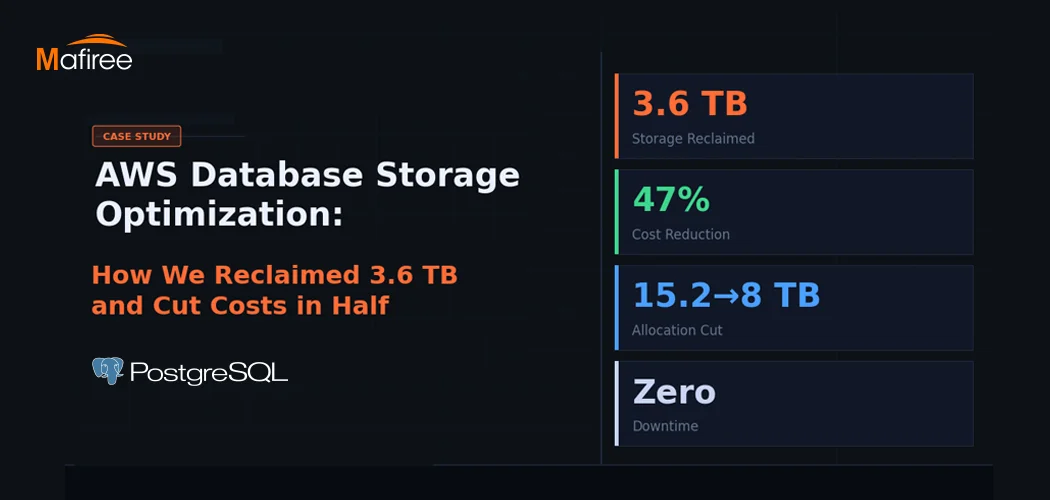
AWS Database Storage Optimization: How We Reclaimed 3.6 TB and Cut Costs in Half

A client came to us with a classic AWS database storage optimization problem: 15.2 TB allocated, less than a third actually in use — and a bill that kept growing regardless. Within one week, Mafiree had reclaimed 3.6 TB, validated a safe path to cut allocation nearly in half, and executed a zero-downtime migration. Here's the full story.

  188 views
PostgreSQL Connection Pooling: PgBouncer vs Odyssey – Performance & Configuration

PostgreSQL uses a process-per-connection model, which can limit scalability in high-traffic environments. Connection poolers help manage this challenge by reusing database connections efficiently. This blog compares PgBouncer and Odyssey, two popular PostgreSQL connection poolers, highlighting their architecture, performance characteristics, configuration differences, and ideal use cases. It helps organizations choose the right pooling solution based on workload scale, complexity, and operational requirements.

  2212 views
8 Enhancing Features in PostgreSQL 18

PostgreSQL 18: Efficiency, security, and reliability, all in one upgrade

  4189 views
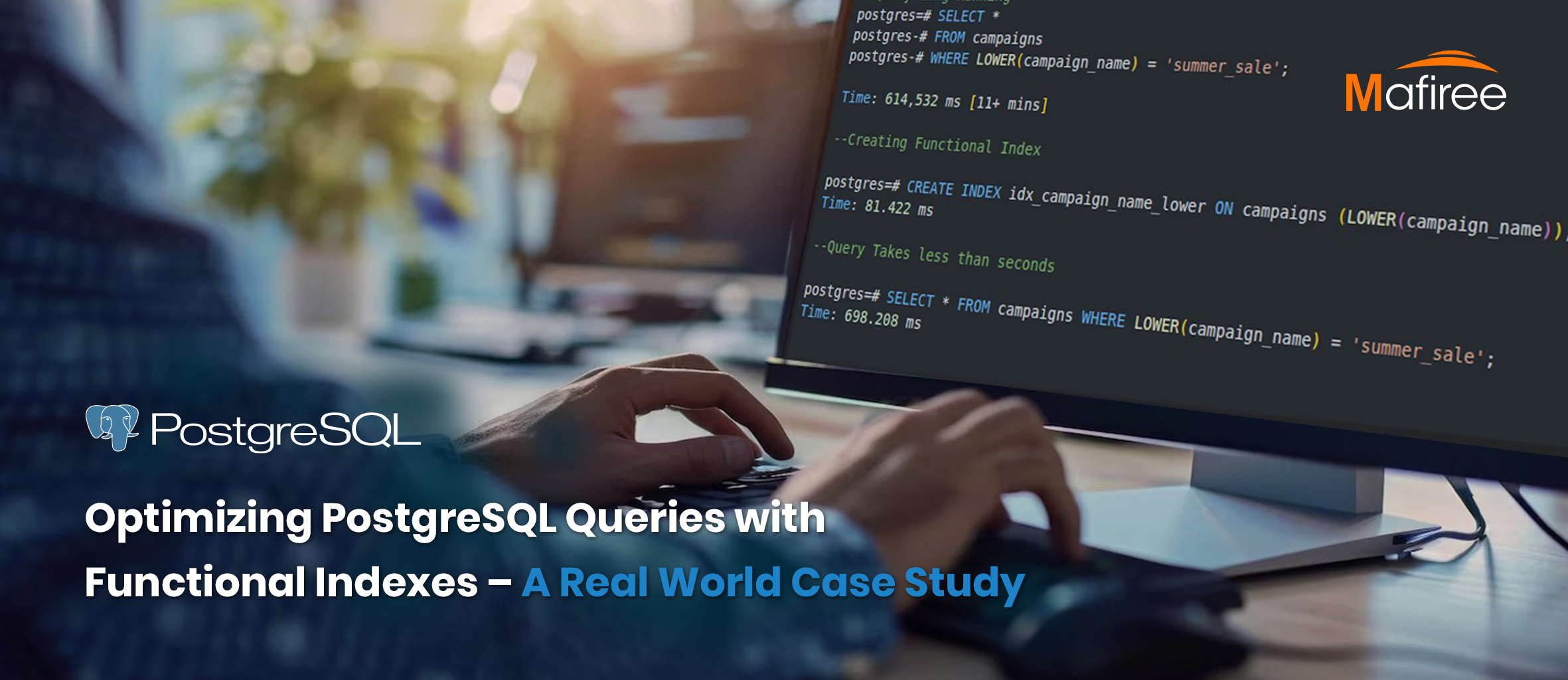
Optimizing PostgreSQL Queries with Functional Indexes – A Real-World Case Study

Cutting Query Time from 10 Minutes to Under 1 Second – How Functional Indexes Helped Us Optimize Aurora PostgreSQL and Stabilize CPU Performance.

  2924 views
Choosing the Right Replication Type in PostgreSQL

Choosing the Right Replication Type in PostgreSQL – Understand the key differences between Streaming and Logical Replication, their best use cases, and how to implement them effectively for high availability, scalability, and disaster recovery.

  2331 views

Subscribe for email updates

Get in touch with us

Highlights

More than 6000 Servers Monitored

Happy Clients

Certified DBAs

24 x 7 x 365 Support

PCI

Database Services

MySQL MongoDB PostgreSQL SQL Server Aerospike Clickhouse TiDB MariaDB Columnstore

Quick Links

Careers Blog Contact Privacy Policy Disclaimer Policy

Contacts

Linkedin Mafiree Facebook Mafiree Twitter Mafiree

Nagercoil Office

Miru IT Park, Vallankumaranvillai,

Nagercoil, Tamilnadu - 629 002.

Bangalore Office

Unit 303, Vanguard Rise,

5th Main, Konena Agrahara,

Old Airport Road, Bangalore - 560 017.

Call: +91 6383016411

Email: sales@mafiree.com


Copyright © - All Rights Reserved - Mafiree