
Mafiree logo
  • About
  • Services
  • Blogs
  • Careers
  • Products
    • orbit logo Orbit
    • streamer logo Xstreami
  • Contact
Schedule a Call
Menu
  • About
  • Services
  • Blogs
  • Careers
  • Products
    • orbit logo Orbit
    • streamer logo Xstreami
  • Contact
  • Schedule a Call
Database
Database Managed Database Services
MySQL MySQL
MySQL Consulting
MySQL Migration Services
MySQL Optimization & Query Tuning
MySQL Database Administration
MySQL Backup & Recovery
MySQL Security & Maintenance
MySQL Cloud Services (AWS RDS, Aurora, Google Cloud SQL, Azure)
MySQL for Ecommerce
MySQL High Availability & Replication
MongoDB MongoDB
MongoDB Consulting
MongoDB Migration Services
MongoDB Optimization & Query Tuning
MongoDB Database Administration
MongoDB Backup & Recovery
MongoDB Security & Maintenance
MongoDB Cloud (Atlas)
MongoDB Solutions by Industry
MongoDB High Availability & Replication
PostgreSQL PostgreSQL
PostgreSQL Consulting
PostgreSQL Migration & Upgrades
Performance Tuning & Query Optimization
PostgreSQL Administration & Managed Services
High Availability, Clustering & Replication
PostgreSQL Backup, Recovery & Disaster Planning
PostgreSQL Security, Compliance & Auditing
PostgreSQL for Analytics & Data Warehousing
PostgreSQL on Cloud & Containers
PostgreSQL Extensions & Open-Source Integrations
PostgreSQL for Every Industry
SQL Server MSSQL
MSSQL Consulting
MSSQL Migration Services
MSSQL Optimization & Query Tuning Services
MSSQL Database Administration Services
MSSQL Backup & Recovery Services
MSSQL High Availability & Replication Services
MSSQL Security & Compliance Services
MSSQL Performance Monitoring & Health Checks
MSSQL Solutions by Industry
Aerospike Aerospike
Aerospike Consulting
Aerospike Migration Services
Aerospike Performance Optimization & Tuning
Aerospike Database Administration
Aerospike Backup & Recovery
Aerospike High Availability
Aerospike Cloud & Hybrid Deployments
Aerospike for Real-Time Applications (AdTech, FinTech, Retail, IoT)
Clickhouse Clickhouse
ClickHouse Consulting
ClickHouse Migration Services
ClickHouse Optimization & Query Tuning
ClickHouse Database Administration
ClickHouse Backup & Recovery
ClickHouse Security & Maintenance
ClickHouse Cloud Services (ClickHouse Cloud, AWS, GCP, Azure)
ClickHouse Solutions by Industry
ClickHouse High Availability & Replication
TiDB TiDB
TiDB Consulting
TiDB Administration & Maintenance
TiDB Security and Privacy Maintenance
TiDB Performance & Query Optimization
TiDB Migration Services
TiDB Backup & Disaster Recovery
TiDB High Availability Solutions
TiDB Solutions by Industry
TiDB Cloud Services
ScyllaDB ScyllaDB
ScyllaDB Consulting
ScyllaDB Administration & Maintenance
ScyllaDB Security and Privacy Maintenance
ScyllaDB Performance & Query Optimization
ScyllaDB Migration Services
ScyllaDB Backup & Disaster Recovery
ScyllaDB High Availability Solutions
ScyllaDB Solutions by Industry
ScyllaDB Cloud Services
DevOps
DevOps DevOps Services
Version Control Version Control
Kubernetes Kubernetes
Infrastructure Infrastructure Management
Web Servers Web Servers
Networking
Networking Networking Services
Basic Basic
Advanced Advanced
MySQL MySQL
MongoDB MongoDB
PostgreSQL PostgreSQL
MSSQL MSSQL
Aerospike Aerospike
Clickhouse Clickhouse
TiDB TiDB
ScyllaDB ScyllaDB
Version Control Version Control
Kubernetes Kubernetes
Infrastructure Infrastructure Management
Web Servers Web Servers
Basic Basic
Advanced Advanced
MySQL Consulting
MySQL Migration Services
MySQL Optimization & Query Tuning
MySQL Database Administration
MySQL Backup & Recovery
MySQL Security & Maintenance
MySQL Cloud Services (AWS RDS, Aurora, Google Cloud SQL, Azure)
MySQL for Ecommerce
MySQL High Availability & Replication
MongoDB Consulting
MongoDB Migration Services
MongoDB Optimization & Query Tuning
MongoDB Database Administration
MongoDB Backup & Recovery
MongoDB Security & Maintenance
MongoDB Cloud (Atlas)
MongoDB Solutions by Industry
MongoDB High Availability & Replication
PostgreSQL Consulting
PostgreSQL Migration & Upgrades
Performance Tuning & Query Optimization
PostgreSQL Administration & Managed Services
High Availability, Clustering & Replication
PostgreSQL Backup, Recovery & Disaster Planning
PostgreSQL Security, Compliance & Auditing
PostgreSQL for Analytics & Data Warehousing
PostgreSQL on Cloud & Containers
PostgreSQL Extensions & Open-Source Integrations
PostgreSQL for Every Industry
MSSQL Consulting
MSSQL Migration Services
MSSQL Optimization & Query Tuning Services
MSSQL Database Administration Services
MSSQL Backup & Recovery Services
MSSQL High Availability & Replication Services
MSSQL Security & Compliance Services
MSSQL Performance Monitoring & Health Checks
MSSQL Solutions by Industry
Aerospike Consulting
Aerospike Migration Services
Aerospike Performance Optimization & Tuning
Aerospike Database Administration
Aerospike Backup & Recovery
Aerospike High Availability
Aerospike Cloud & Hybrid Deployments
Aerospike for Real-Time Applications (AdTech, FinTech, Retail, IoT)
ClickHouse Consulting
ClickHouse Migration Services
ClickHouse Optimization & Query Tuning
ClickHouse Database Administration
ClickHouse Backup & Recovery
ClickHouse Security & Maintenance
ClickHouse Cloud Services (ClickHouse Cloud, AWS, GCP, Azure)
ClickHouse Solutions by Industry
ClickHouse High Availability & Replication
TiDB Consulting
TiDB Administration & Maintenance
TiDB Security and Privacy Maintenance
TiDB Performance & Query Optimization
TiDB Migration Services
TiDB Backup & Disaster Recovery
TiDB High Availability Solutions
TiDB Solutions by Industry
TiDB Cloud Services
ScyllaDB Consulting
ScyllaDB Administration & Maintenance
ScyllaDB Security and Privacy Maintenance
ScyllaDB Performance & Query Optimization
ScyllaDB Migration Services
ScyllaDB Backup & Disaster Recovery
ScyllaDB High Availability Solutions
ScyllaDB Solutions by Industry
ScyllaDB Cloud Services
  1. Home
  2. > Blogs
  3. > PostgreSQL
  4. > Auto Vacuum in PostgreSQL Explained

Auto Vacuum in PostgreSQL Explained

This blog explains how PostgreSQL Autovacuum works — covering the launcher/worker process model, the exact formula that decides when a table becomes eligible, and the key differences between VACUUM, Autovacuum, and VACUUM FULL. It includes an interactive eligibility calculator, tunable parameters, monitoring queries, and best practices to help DBAs prevent table bloat and transaction ID wraparound.

Jethish July 30, 2026

Subscribe for email updates

Summarize with AI: ChatGPT Google AI Perplexity Claude Grok

At Mafiree, we help organizations manage and optimize mission-critical PostgreSQL environments, where consistent performance and database health are essential for business operations. One of the most important maintenance mechanisms we monitor and tune is Autovacuum. Although it often runs quietly in the background, Autovacuum plays a critical role in preventing table bloat, maintaining query performance, and protecting databases from transaction ID wraparound.

PostgreSQL is known for its reliability, scalability, and powerful concurrency model, and Autovacuum is one of the key features that keeps it running efficiently. Many DBAs know it exists; fewer understand exactly how it decides what to touch and when — and that gap is often the difference between a high-performing database and one plagued by slow queries, bloated tables, and wraparound failures.

What is Autovacuum?

Autovacuum is PostgreSQL's background maintenance process responsible for:

  • Removing dead tuples
  • Preventing table and index bloat
  • Updating optimizer statistics
  • Freezing old transaction IDs
  • Preventing transaction ID wraparound

Without Autovacuum, PostgreSQL databases would gradually consume more storage, queries would become slower, and eventually the database could stop accepting writes due to transaction ID exhaustion.

How the autovacuum daemon actually runs

Autovacuum isn't one process — it's a small fleet. A launcher process wakes up periodically (governed by autovacuum_naptime, default 1 minute), checks every database, and spins up worker processes to handle whichever tables have crossed their dirty-tuple threshold. By default, Postgres allows up to autovacuum_max_workers (3) workers running concurrently across the whole instance.

Each worker does one of two jobs on a table:

Vacuum

Scans the heap, marks dead tuple space as reusable, updates the visibility map, and freezes old row versions so their transaction IDs don't become a wraparound risk.

Analyze

Resamples the table and refreshes the statistics the query planner relies on for choosing index scans vs. sequential scans, join order, and row estimates.

Why it never shrinks tables on disk

⚠️ The most common misconception
Regular VACUUM — the kind autovacuum runs — never shrinks a table file on disk. It just marks space as reusable for future inserts and updates. Only VACUUM FULL physically rewrites the table and returns space to the filesystem, and it takes an exclusive lock while doing it — not something autovacuum will ever do for you automatically.

When does a table actually qualify?

Postgres tracks dead tuple counts per table in pg_stat_user_tables. A table becomes eligible for autovacuum once its dead tuple count crosses this threshold:

formula
vacuum threshold = autovacuum_vacuum_threshold +
                    (autovacuum_vacuum_scale_factor × n_live_tup)

-- defaults: threshold = 50, scale_factor = 0.2 (20% of the table)

The ANALYZE trigger works the same way, with its own threshold and scale factor (autovacuum_analyze_threshold = 50, autovacuum_analyze_scale_factor = 0.1).

? The trap on big tables
The scale factor is the trap. A 20% dead-tuple threshold means a 50-million-row table has to accumulate 10 million dead rows before autovacuum even considers it. On large, heavily-updated tables, the default scale factor is almost always too loose — this is the #1 reason DBAs override it per-table.

Vacuum eligibility calculator

Drag the sliders to see when your own table would qualify.

threshold = 50 + (0.20 × 10,000,000) = 2,000,050 dead tuples needed
Calculating…

The parameters worth knowing by name

ParameterDefaultWhat it controls
autovacuumonEnables or disables the Autovacuum daemon globally.
autovacuum_naptime1minHow often the launcher wakes up to check for eligible tables.
autovacuum_max_workers3Max concurrent vacuum workers instance-wide. Raising this helps only if I/O and cost limits allow it.
autovacuum_vacuum_scale_factor0.2Fraction of table size (in dead tuples) before a vacuum triggers. Lower this per-table for large tables.
autovacuum_vacuum_threshold50Flat dead-tuple count added to the scale-factor calculation.
autovacuum_vacuum_cost_limit200I/O "budget" a worker spends before pausing. Higher = more aggressive, more I/O pressure.
autovacuum_vacuum_cost_delay2msSleep time once the cost limit is hit. Lower = faster vacuuming, more I/O contention.
autovacuum_freeze_max_age200,000,000Transaction age at which Postgres forces an aggressive freeze vacuum to avoid wraparound.
autovacuum_vacuum_insert_scale_factor0 (PG13+)Triggers vacuum based on inserts alone — matters for insert-only tables that never update or delete.

9 of 9 parameters shown

VACUUM vs. autovacuum vs. VACUUM FULL

All three share the word "vacuum," and DBAs new to Postgres often assume they're interchangeable — they're not. They differ in who triggers them, what lock they take, and whether they actually shrink the file on disk.

 VACUUMAutovacuumVACUUM FULL
Trigger Run manually by a DBA / script Launched automatically by the background daemon based on dead-tuple thresholds Run manually, deliberately — usually in a maintenance window
Lock taken None — SHARE UPDATE EXCLUSIVE, reads/writes continue Same as manual VACUUM — non-blocking to normal traffic ACCESS EXCLUSIVE — blocks all reads and writes on the table
Reclaims disk space? Marks space reusable internally; file size on disk stays the same Same — internal reuse only, no file shrink Yes — physically rewrites the table into a new file, returns space to the OS
Updates planner stats? No, unless run as VACUUM ANALYZE Yes — paired with an ANALYZE cycle based on its own thresholds No, run ANALYZE separately afterward
Typical use case One-off cleanup, or scripted after a large bulk delete Routine, ongoing table hygiene — the default and recommended path Severely bloated tables that need disk space back immediately
Cost Low — throttled, background-friendly Low — same throttling, self-scheduled High — full table rewrite + index rebuild, downtime-like impact

Common VACUUM commands

1. Basic VACUUM

Removes dead tuples and makes space available for reuse.

psql — blogs
blogs=# VACUUM;

2. Vacuum a specific table

psql — blogs
blogs=# VACUUM employees;

3. VACUUM with ANALYZE

Removes dead tuples and updates planner statistics.

psql — blogs
blogs=# VACUUM ANALYZE employees;

4. Analyze only

Updates optimizer statistics without removing dead tuples.

psql — blogs
blogs=# ANALYZE employees;

5. VACUUM FULL

Rewrites the table and returns unused disk space to the operating system. Requires an exclusive lock on the table.

psql — blogs
blogs=# VACUUM FULL employees;

6. VACUUM FREEZE

Freezes old tuples to prevent transaction ID wraparound.

psql — blogs
blogs=# VACUUM FREEZE employees;

7. VACUUM VERBOSE

Displays detailed information about the vacuum process.

psql — blogs
blogs=# VACUUM VERBOSE employees;
INFO:  vacuuming "public.employees"
INFO:  finished vacuuming "public.employees"

8. VACUUM FULL ANALYZE

Reclaims disk space and updates statistics in one pass.

psql — blogs
blogs=# VACUUM (FULL, ANALYZE) employees;

Table-level autovacuum settings

Some tables need more aggressive vacuuming than the rest of the cluster. Rather than loosening these globally in postgresql.conf — which affects every table, including small, quiet ones — override them on the specific tables that need it:

psql — blogs
blogs=# ALTER TABLE code.transactions SET (
  autovacuum_vacuum_scale_factor = 0.02,
  autovacuum_vacuum_threshold = 5000,
  autovacuum_vacuum_cost_delay = 0
);

Should you ever disable Autovacuum?

For production OLTP tables, disabling Autovacuum is generally not recommended, as it can quickly lead to table bloat, outdated statistics, and transaction ID wraparound risks.

psql — blogs
blogs=# ALTER TABLE staging.bulk_import SET (autovacuum_enabled = false);

-- Revert to instance-wide defaults for any parameter:
blogs=# ALTER TABLE staging.bulk_import RESET (autovacuum_enabled);

Catching it falling behind and watching it work

psql — blogs
blogs=# SELECT schemaname, relname, n_live_tup, n_dead_tup
FROM pg_stat_user_tables ORDER BY n_dead_tup DESC;
psql — blogs
blogs=# SELECT
  pid,
  datname,
  relid::regclass AS table_name,
  phase,
  heap_blks_total,
  heap_blks_scanned,
  heap_blks_vacuumed,
  index_vacuum_count,
  max_dead_tuples,
  num_dead_tuples
FROM pg_stat_progress_vacuum;
psql — blogs
blogs=# SELECT
  pid,
  usename,
  query_start,
  state,
  wait_event_type,
  wait_event,
  query
FROM pg_stat_activity
WHERE query LIKE 'autovacuum:%';
psql — blogs
blogs=# SELECT
  relname,
  last_vacuum,
  last_autovacuum,
  last_analyze,
  last_autoanalyze
FROM pg_stat_user_tables;

Best practices

✓ Keep Autovacuum enabledDisabling it instance-wide almost always causes more problems than it solves.
✓ Tune large tables individuallyLower the scale factor per-table rather than loosening the global default.
✓ Monitor dead tuplesTrack n_dead_tup trends, not just current snapshots.
✓ Watch long transactionsA single idle-in-transaction session can block vacuum from cleaning up anything.
✓ Schedule manual VACUUM when neededAfter large bulk deletes or loads, don't wait for the threshold.
✓ Use VACUUM FULL sparinglyPlan it for a maintenance window — it locks the table completely.
✓ Monitor autovacuum logslog_autovacuum_min_duration surfaces slow or skipped runs early.

Conclusion

Autovacuum is one of PostgreSQL's most important self-maintenance features. It quietly removes dead tuples, refreshes planner statistics, prevents table and index bloat, and safeguards the database from transaction ID wraparound. Although the default configuration works well for many workloads, high-traffic systems often benefit from tailored settings at the server or table level.

Regular monitoring of dead tuples, Autovacuum activity, long-running transactions, and freeze age can help you identify issues before they impact performance. By understanding how autovacuum works and tuning it deliberately — is what keeps a PostgreSQL database efficient, responsive, and reliable as it grows.

Talk to the Mafiree DB Team →

PostgreSQL Autovacuum DatabaseAdministration TableBloat TransactionWraparound PerformanceTuning

FAQ

Autovacuum is PostgreSQL's background maintenance process that automatically removes dead tuples, updates planner statistics, and freezes old transaction IDs to prevent bloat and wraparound — without requiring manual intervention.
A table becomes eligible once its dead tuple count crosses a threshold calculated as autovacuum_vacuum_threshold + (autovacuum_vacuum_scale_factor × n_live_tup). By default this is 50 + 20% of the table's live rows.
No. Regular VACUUM (including autovacuum) only marks dead space as reusable — it doesn't return space to the filesystem. Only VACUUM FULL physically rewrites the table and reclaims disk space, but it takes an exclusive lock to do so.
For production OLTP tables, disabling Autovacuum is generally not recommended, as it quickly leads to bloat, stale statistics, and transaction ID wraparound risk. It's better to tune parameters per-table than to disable it globally.
You can query pg_stat_user_tables for dead tuple counts and last-vacuum timestamps, pg_stat_progress_vacuum for live phase and progress of a running vacuum, and pg_stat_activity to see currently active autovacuum workers.

Author Bio

Jethish

Jethish is a PostgreSQL DBA at Mafiree with expertise in building scalable, reliable, and high-performance database infrastructures. He focuses on PostgreSQL architecture, replication strategies, performance tuning, and high availability for mission-critical systems. Through his technical writing, he shares clear, practical insights on database internals, replication choices, load balancing, and cross-database integrations that help engineers and DBAs tackle real-world data challenges.

Leave a Comment

Related Blogs

ProxySQL vs HAProxy for MySQL High Availability: Complete Comparison 2026

ProxySQL excels in MySQL-specific query routing, read/write splitting, and performance tuning. HAProxy offers robust load balancing across multiple protocols and is ideal for general-purpose proxying. Choose ProxySQL if your focus is on MySQL optimization; select HAProxy for broader application-level load balancing. Both tools support failover mechanisms but with different levels of database-specific integration.

  187 views
Tracking PostgreSQL Operations in Real Time: A Deep Dive into PostgreSQL Progress Reporting

This blog explores PostgreSQL’s progress reporting system views that provide real-time visibility into long-running operations like VACUUM, ANALYZE, CREATE INDEX, COPY, and base backups. It explains how DBAs can monitor execution phases, estimate completion, detect bottlenecks, and improve operational efficiency using these built-in views. Real-world examples and use cases demonstrate how progress tracking enhances performance tuning, automation, and maintenance planning.

  2763 views
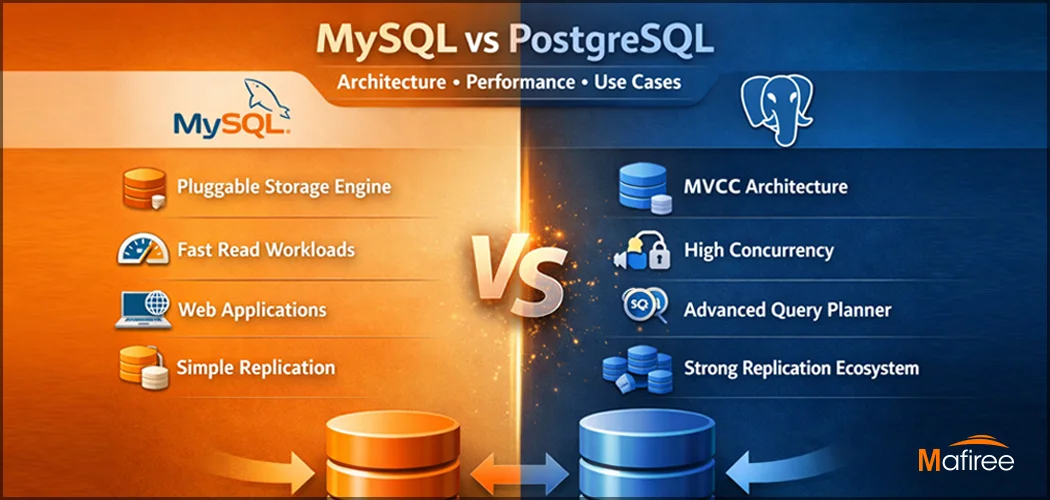
Key Differences Between MySQL and PostgreSQL: Architecture, Performance & Use Cases

Understanding the difference between MySQL and PostgreSQL is critical when choosing a database for production workloads. While both are powerful open-source relational databases, they are built with fundamentally different philosophies. This comprehensive guide compares MySQL vs PostgreSQL across architecture, performance behavior under concurrent loads, replication strategies, and real-world use cases — backed by Mafiree's 17+ years of hands-on production experience across India, APAC, and the Middle East.

  1090 views
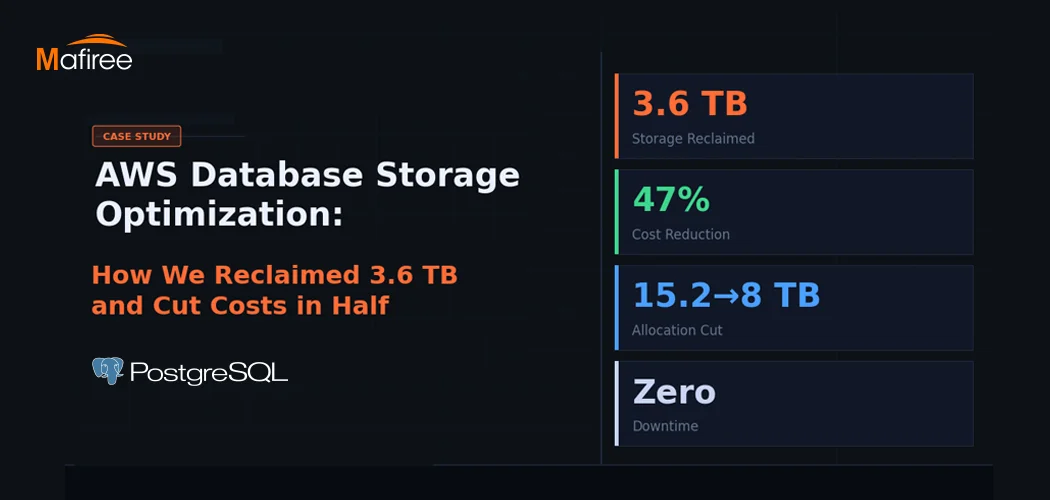
AWS Database Storage Optimization: How We Reclaimed 3.6 TB and Cut Costs in Half

A client came to us with a classic AWS database storage optimization problem: 15.2 TB allocated, less than a third actually in use — and a bill that kept growing regardless. Within one week, Mafiree had reclaimed 3.6 TB, validated a safe path to cut allocation nearly in half, and executed a zero-downtime migration. Here's the full story.

  802 views
PostgreSQL Connection Pooling: PgBouncer vs Odyssey – Performance & Configuration

PostgreSQL uses a process-per-connection model, which can limit scalability in high-traffic environments. Connection poolers help manage this challenge by reusing database connections efficiently. This blog compares PgBouncer and Odyssey, two popular PostgreSQL connection poolers, highlighting their architecture, performance characteristics, configuration differences, and ideal use cases. It helps organizations choose the right pooling solution based on workload scale, complexity, and operational requirements.

  7157 views

Subscribe for email updates

Get in touch with us

Highlights

More than 6000 Servers Monitored

Happy Clients

Certified DBAs

24 x 7 x 365 Support

PCI

Database Services

MySQL MongoDB PostgreSQL SQL Server Aerospike Clickhouse TiDB ScyllaDB

Quick Links

Careers Blog Contact Privacy Policy Disclaimer Policy

Contacts

Linkedin Mafiree Facebook Mafiree Twitter Mafiree

Nagercoil Office

Miru IT Park, Vallankumaranvillai,

Nagercoil, Tamilnadu - 629 002.

Bangalore Office

Unit 303, Vanguard Rise,

5th Main, Konena Agrahara,

Old Airport Road, Bangalore - 560 017.

Call: +91 6383016411

Email: sales@mafiree.com


Copyright © - All Rights Reserved - Mafiree