
Mafiree logo
  • About
  • Services
  • Blogs
  • Careers
  • Products
    • orbit logo Orbit
    • streamer logo Xstreami
  • Contact
Schedule a Call
Menu
  • About
  • Services
  • Blogs
  • Careers
  • Products
    • orbit logo Orbit
    • streamer logo Xstreami
  • Contact
  • Schedule a Call
Database
Database Database Managed Services
MySQL MySQL
MySQL Consulting Services
MySQL Migration Services
MySQL Optimization & Query Tuning
MySQL Database Administration
MySQL Backup & Recovery
MySQL Security & Maintenance
MySQL Cloud Services (AWS RDS, Aurora, Google Cloud SQL, Azure)
MySQL for Ecommerce
MySQL High Availability & Replication
MongoDB MongoDB
MongoDB Consulting Services
MongoDB Migration Services
MongoDB Optimization & Query Tuning
MongoDB Database Administration
MongoDB Backup & Recovery
MongoDB Security & Maintenance
MongoDB Cloud (Atlas)
MongoDB Solutions by Industry
MongoDB High Availability & Replication
PostgreSQL PostgreSQL
PostgreSQL Consulting
PostgreSQL Migration & Upgrades
Performance Tuning & Query Optimization
PostgreSQL Administration & Managed Services
High Availability, Clustering & Replication
PostgreSQL Backup, Recovery & Disaster Planning
PostgreSQL Security, Compliance & Auditing
PostgreSQL for Analytics & Data Warehousing
PostgreSQL on Cloud & Containers
PostgreSQL Extensions & Open-Source Integrations
PostgreSQL for Every Industry
SQL Server MSSQL
MSSQL Consulting Services
MSSQL Migration Services
MSSQL Optimization & Query Tuning Services
MSSQL Database Administration Services
MSSQL Backup & Recovery Services
MSSQL High Availability & Replication Services
MSSQL Security & Compliance Services
MSSQL Performance Monitoring & Health Checks
MSSQL Solutions by Industry
Aerospike Aerospike
Aerospike Consulting Services
Aerospike Migration Services
Aerospike Performance Optimization & Tuning
Aerospike Database Administration
Aerospike Backup & Recovery
Aerospike High Availability
Aerospike Cloud & Hybrid Deployments
Aerospike for Real-Time Applications (AdTech, FinTech, Retail, IoT)
Analytics DB
Analytics DB Analytics DB Services
Clickhouse Clickhouse
ClickHouse Consulting Services
ClickHouse Migration Services
ClickHouse Optimization & Query Tuning
ClickHouse Database Administration
ClickHouse Backup & Recovery
ClickHouse Security & Maintenance
ClickHouse Cloud Services (ClickHouse Cloud, AWS, GCP, Azure)
ClickHouse Solutions by Industry
ClickHouse High Availability & Replication
TiDB TiDB
TiDB Consulting & Architecture Planning
TiDB Administration & Maintenance
TiDB Security and Privacy Maintenance
TiDB Performance & Query Optimization
TiDB Migration Services
TiDB Backup & Disaster Recovery
TiDB High Availability Solutions
TiDB Solutions by Industry
TiDB Cloud Services
ScyllaDB ScyllaDB
ScyllaDB Consulting & Architecture Planning
ScyllaDB Administration & Maintenance
ScyllaDB Security and Privacy Maintenance
ScyllaDB Performance & Query Optimization
ScyllaDB Migration Services
ScyllaDB Backup & Disaster Recovery
ScyllaDB High Availability Solutions
ScyllaDB Solutions by Industry
ScyllaDB Cloud Services
DevOps
DevOps DevOps Services
Version Control Version Control
Kubernetes Kubernetes
Infrastructure Infrastructure Management
Web Servers Web Servers
Networking
Networking Networking Services
Basic Basic
Advanced Advanced
MySQL MySQL
MongoDB MongoDB
PostgreSQL PostgreSQL
MSSQL MSSQL
Aerospike Aerospike
Clickhouse Clickhouse
TiDB TiDB
ScyllaDB ScyllaDB
Version Control Version Control
Kubernetes Kubernetes
Infrastructure Infrastructure Management
Web Servers Web Servers
Basic Basic
Advanced Advanced
MySQL Consulting Services
MySQL Migration Services
MySQL Optimization & Query Tuning
MySQL Database Administration
MySQL Backup & Recovery
MySQL Security & Maintenance
MySQL Cloud Services (AWS RDS, Aurora, Google Cloud SQL, Azure)
MySQL for Ecommerce
MySQL High Availability & Replication
MongoDB Consulting Services
MongoDB Migration Services
MongoDB Optimization & Query Tuning
MongoDB Database Administration
MongoDB Backup & Recovery
MongoDB Security & Maintenance
MongoDB Cloud (Atlas)
MongoDB Solutions by Industry
MongoDB High Availability & Replication
PostgreSQL Consulting
PostgreSQL Migration & Upgrades
Performance Tuning & Query Optimization
PostgreSQL Administration & Managed Services
High Availability, Clustering & Replication
PostgreSQL Backup, Recovery & Disaster Planning
PostgreSQL Security, Compliance & Auditing
PostgreSQL for Analytics & Data Warehousing
PostgreSQL on Cloud & Containers
PostgreSQL Extensions & Open-Source Integrations
PostgreSQL for Every Industry
MSSQL Consulting Services
MSSQL Migration Services
MSSQL Optimization & Query Tuning Services
MSSQL Database Administration Services
MSSQL Backup & Recovery Services
MSSQL High Availability & Replication Services
MSSQL Security & Compliance Services
MSSQL Performance Monitoring & Health Checks
MSSQL Solutions by Industry
Aerospike Consulting Services
Aerospike Migration Services
Aerospike Performance Optimization & Tuning
Aerospike Database Administration
Aerospike Backup & Recovery
Aerospike High Availability
Aerospike Cloud & Hybrid Deployments
Aerospike for Real-Time Applications (AdTech, FinTech, Retail, IoT)
ClickHouse Consulting Services
ClickHouse Migration Services
ClickHouse Optimization & Query Tuning
ClickHouse Database Administration
ClickHouse Backup & Recovery
ClickHouse Security & Maintenance
ClickHouse Cloud Services (ClickHouse Cloud, AWS, GCP, Azure)
ClickHouse Solutions by Industry
ClickHouse High Availability & Replication
TiDB Consulting & Architecture Planning
TiDB Administration & Maintenance
TiDB Security and Privacy Maintenance
TiDB Performance & Query Optimization
TiDB Migration Services
TiDB Backup & Disaster Recovery
TiDB High Availability Solutions
TiDB Solutions by Industry
TiDB Cloud Services
ScyllaDB Consulting & Architecture Planning
ScyllaDB Administration & Maintenance
ScyllaDB Security and Privacy Maintenance
ScyllaDB Performance & Query Optimization
ScyllaDB Migration Services
ScyllaDB Backup & Disaster Recovery
ScyllaDB High Availability Solutions
ScyllaDB Solutions by Industry
ScyllaDB Cloud Services
  1. Home
  2. > Blogs
  3. > PostgreSQL
  4. > Tracking PostgreSQL Operations in Real Time: A Deep Dive into PostgreSQL Progress Reporting

Tracking PostgreSQL Operations in Real Time: A Deep Dive into PostgreSQL Progress Reporting

This blog explores PostgreSQL’s progress reporting system views that provide real-time visibility into long-running operations like VACUUM, ANALYZE, CREATE INDEX, COPY, and base backups. It explains how DBAs can monitor execution phases, estimate completion, detect bottlenecks, and improve operational efficiency using these built-in views. Real-world examples and use cases demonstrate how progress tracking enhances performance tuning, automation, and maintenance planning.

Jethish April 24, 2026

Subscribe for email updates

Why PostgreSQL Progress Reporting Matters for DBAs | Mafiree

Why PostgreSQL Progress Reporting Matters for DBAs

Whether you're a DBA, developer, or monitoring enthusiast, one question haunts every long-running database operation: "Is it done yet?"

Operations like index creation, vacuuming, data loading, and base backups can take significant time — sometimes minutes, sometimes hours. Without visibility, these operations feel like black boxes. Thankfully, PostgreSQL progress reporting provides a powerful transparency feature that allows you to track these operations in real time.

In production environments across fintech, SaaS, and e-commerce stacks managed by Mafiree, progress visibility is the first tool DBAs reach for during maintenance windows and live migrations.

What Is PostgreSQL Progress Reporting? Definition & Core Purpose

Progress reporting in PostgreSQL refers to dynamic system views that expose the real-time status of long-running internal operations. These are live, in-memory views that reflect what PostgreSQL is doing at any given moment — no logging required, no wait-and-see guesswork.

What DBAs Can Do with Progress Views

Track Ongoing Jobs
Monitor tasks in real time without digging through logs.
Identify Phases
Understand which phase an operation is currently in.
Detect Stuck Ops
Identify unexpectedly slow or stalled operations early.
Estimate Completion
Calculate completion percentage for SLA planning.
Confident Maintenance
Monitor performance confidently during maintenance windows.

In real-world PostgreSQL environments handled by Mafiree, these views are heavily used to build proactive monitoring and alerting systems.

Real-Time PostgreSQL Progress Monitoring: Operational Benefits

Operational Challenges Without Progress Views

Before these views existed, DBAs had limited options: parse logs, run pg_stat_activity for rough signals, or simply wait. This created uncertainty around maintenance windows, DR tests, and bulk operations.

Bottleneck Detection
Spot exactly which phase is taking the most time during index builds or vacuums.
Automation-Ready
Query these views from monitoring scripts to trigger alerts or auto-scale resources.
Better Planning
Estimate completion percentages to schedule follow-up tasks and communicate timelines.
Stuck Operation Detection
Identify when an operation has stalled due to locking, I/O saturation, or other issues.

PostgreSQL Progress Reporting Views: Complete List by Operation

All Available Views in PostgreSQL 18

Here is a complete breakdown of the progress-reporting views available as of PostgreSQL 18:

pg_stat_progress_vacuum
Tracks table vacuuming, scanned blocks, dead tuples, index vacuuming, etc.
pg_stat_progress_analyze
Shows progress of analyze on tables, blocks read, sample rows collected.
pg_stat_progress_create_index
Monitors index creation phases like scanning, sorting, building.
pg_stat_progress_cluster
Tracks heap rewrite, tuple scan, index rebuild progress during clustering.
pg_stat_progress_copy
Displays progress of COPY FROM/TO operations.
pg_stat_progress_basebackup
Shows progress of running base backups.

PostgreSQL Progress Views in Action: Live Query Examples

Below are practical, real outputs captured from running PostgreSQL commands. These examples help you understand how to use each view in production environments.

PostgreSQL VACUUM Progress Monitoring with pg_stat_progress_vacuum pg_stat_progress_vacuum
When to Use This View

Query pg_stat_progress_vacuum whenever autovacuum or manual VACUUM is running on a large table. It's especially useful during post-bulk-load cleanup or when the autovacuum seems slow.

PSQL — pg_stat_progress_vacuum
miru_sports=# select * from pg_stat_progress_vacuum\gx
-[ RECORD 1 ]------+--------------
pid                | 82089
datid              | 25296
datname            | miru_sports
relid              | 25303
phase              | scanning heap
heap_blks_total    | 73334
heap_blks_scanned  | 0
heap_blks_vacuumed | 0
index_vacuum_count | 0
max_dead_tuples    | 11184809
num_dead_tuples    | 0
Time: 0.267 ms
Key Fields to Monitor
  • phase — current step: scanning heap, vacuuming indexes, or cleanup
  • heap_blks_scanned / heap_blks_total — derive a completion percentage
  • num_dead_tuples — how much bloat is being reclaimed
  • index_vacuum_count — how many index passes have occurred
Tracking PostgreSQL ANALYZE Progress: pg_stat_progress_analyze pg_stat_progress_analyze
When to Use This View

Use pg_stat_progress_analyze when large tables are being analyzed after bulk loads, or when autoanalyze is running longer than expected and you want to track how far along it is.

PSQL — pg_stat_progress_analyze
miru_sports=# select * from pg_stat_progress_analyze\gx
-[ RECORD 1 ]-------------+----------------------
pid                       | 82089
datid                     | 25296
datname                   | miru_sports
relid                     | 25298
phase                     | acquiring sample rows
sample_blks_total         | 2616
sample_blks_scanned       | 517
ext_stats_total           | 0
ext_stats_computed        | 0
child_tables_total        | 0
child_tables_done         | 0
current_child_table_relid | 0
Time: 0.169 ms
Key Fields to Monitor
  • phase — current step: acquiring inherited sample rows or acquiring sample rows
  • sample_blks_scanned / sample_blks_total — percentage of sampling completed
  • ext_stats_computed — tracks extended statistics progress for multi-column stats
  • child_tables_done — relevant for partitioned tables
Tracking CREATE INDEX Progress with pg_stat_progress_create_index pg_stat_progress_create_index
When to Use This View

Index creation on large tables can take considerable time. pg_stat_progress_create_index shows exactly which phase the build is in, whether using standard or CONCURRENTLY mode.

PSQL — Phase 1: Initializing
-[ RECORD 1 ]------+-------------
pid                | 82293
datid              | 25296
datname            | miru_sports
relid              | 25298
index_relid        | 0
command            | CREATE INDEX
phase              | initializing
lockers_total      | 0
lockers_done       | 0
current_locker_pid | 0
blocks_total       | 0
blocks_done        | 0
tuples_total       | 0
tuples_done        | 0
partitions_total   | 0
partitions_done    | 0
Time: 0.416 ms
PSQL — Phase 2: Table Scanning
-[ RECORD 1 ]------+-------------------------------
pid                | 82293
datid              | 25296
datname            | miru_sports
relid              | 25298
index_relid        | 0
command            | CREATE INDEX
phase              | building index: scanning table
lockers_total      | 0
lockers_done       | 0
current_locker_pid | 0
blocks_total       | 2616
blocks_done        | 161
tuples_total       | 0
tuples_done        | 0
partitions_total   | 0
partitions_done    | 0
Time: 0.416 ms
All CREATE INDEX Phases — In Order
initializing
waiting for writers before build
building index: scanning table
building index: sorting live tuples
building index: loading tuples in tree
index validation: scanning index
index validation: scanning table
waiting for old snapshots
waiting for readers before marking dead
Key Fields to Monitor
  • phase — know exactly which build stage is in progress
  • blocks_done / blocks_total — compute percentage during the scanning phase
  • tuples_done / tuples_total — relevant during the sorting phase
  • partitions_done — useful for CREATE INDEX on partitioned tables
PostgreSQL CLUSTER Progress Tracking: pg_stat_progress_cluster pg_stat_progress_cluster
When to Use This View

CLUSTER physically rewrites the entire table in index order, which is a heavy, locking operation. Use pg_stat_progress_cluster to track its progress and plan your maintenance window accordingly.

PSQL — pg_stat_progress_cluster
miru_sports=# SELECT * FROM pg_stat_progress_cluster\gx
-[ RECORD 1 ]---
pid                 | 82755
datid               | 25296
datname             | miru_sports
relid               | 25298
command             | CLUSTER
phase               | writing new heap
cluster_index_relid | 0
heap_tuples_scanned | 83200
heap_tuples_written | 1303
heap_blks_total     | 2630
heap_blks_scanned   | 2630
index_rebuild_count | 0
Time: 0.405 ms
Key Fields to Monitor
  • phase — seq scanning heap, index scanning heap, or writing new heap
  • heap_tuples_written / heap_tuples_scanned — row-level progress of the rewrite
  • heap_blks_scanned — block-level scan progress
  • index_rebuild_count — how many indexes have been rebuilt so far
PostgreSQL COPY Progress Monitoring with pg_stat_progress_copy pg_stat_progress_copy
When to Use This View

COPY is commonly used for bulk data loads and exports. pg_stat_progress_copy lets you calculate load speed and estimate when a large import will finish — invaluable during ETL jobs and migrations.

PSQL — pg_stat_progress_copy
miru_sports=# select * from pg_stat_progress_copy\gx
-[ RECORD 1 ]----+----------
pid              | 9143
datid            | 103879
datname          | miru_sports
relid            | 103880
command          | COPY FROM
type             | FILE
bytes_processed  | 100073472
bytes_total      | 137777792
tuples_processed | 3652000
tuples_excluded  | 0
tuples_skipped   | 0
Time: 0.164 ms
Calculating Progress and Throughput

From the sample output above you can derive useful metrics in real time:

Completion
72.6%
bytes_processed / bytes_total × 100
Rows Loaded
3.65M
tuples_processed
Source Type
FILE
FILE, PIPE, PROGRAM, STDIN

  • tuples_excluded / tuples_skipped — flag any data quality issues mid-load
  • type — FILE, PIPE, PROGRAM, or STDIN — useful for distinguishing load sources
Base Backup Progress Monitoring: pg_stat_progress_basebackup pg_stat_progress_basebackup
When to Use This View

Base backups can take a long time, especially for large databases or slow storage. pg_stat_progress_basebackup tells you exactly which phase the backup is in and how much data has been streamed.

PSQL — pg_stat_progress_basebackup
 pid   | phase                             | backup_total | backup_streamed | tablespaces_total | tablespaces_streamed
-------+----------------------------------+-------------+-----------------+------------------+---------------------
 83918 | waiting for checkpoint to finish   |             | 0               | 0                | 0
Time: 0.992 ms
All Base Backup Phases — In Order
initializing
waiting for checkpoint to finish
estimating backup size
streaming database files
waiting for wal archiving to finish
transferring wal files
Key Fields to Monitor
  • phase — a long pause on "waiting for checkpoint to finish" may indicate checkpoint pressure
  • backup_streamed / backup_total — bytes transferred vs. estimated total (NULL until size estimation completes)
  • tablespaces_streamed — relevant for multi-tablespace databases

Stop Guessing: PostgreSQL Progress Reporting Gives You Full Visibility

PostgreSQL's progress reporting system views bring real transparency into long-running maintenance operations. By leveraging these views, DBAs can:

Monitor tasks in real time
Precise phase and block-level data at every step.
Understand operations
Know exactly what PostgreSQL is doing at any moment.
Quickly detect issues
Spot slowdowns, bottlenecks, or lock-blocking fast.
Improve automation
Better alerting with queryable, scriptable metrics.
Reduce uncertainty
Confidence during migrations and maintenance windows.
Communicate reliable ETAs
Share accurate timelines with stakeholders and teams.
Enterprise PostgreSQL Support
Need Help with PostgreSQL? We're Here for You!

Facing challenges like autovacuum bloat, slow index builds, or uncertainty around backups? At Mafiree, our PostgreSQL experts leverage advanced tools like progress reporting views to deliver deep visibility and proactive monitoring as part of every managed engagement.


PostgreSQL Installation, Configuration & Upgrades High Availability (Patroni, HAProxy, Recovery Manager) Replication Solutions Performance Tuning & Slow Query Optimization Connection Pooling (PgBouncer, Pgpool-II) Backup & Disaster Recovery Planning Monitoring, Alerting & Capacity Planning
Explore Mafiree's PostgreSQL Services

FAQ

PostgreSQL progress reporting is a set of system views that provide real-time visibility into long-running database operations like VACUUM, ANALYZE, CREATE INDEX, COPY, and base backups. These views help DBAs monitor execution status without relying on logs.
Progress reporting was introduced in PostgreSQL 9.6 (for VACUUM) and has been expanded in later versions. Modern versions (PostgreSQL 12+) support multiple progress views like pg_stat_progress_create_index, pg_stat_progress_copy, and more.
You can query the pg_stat_progress_vacuum view to see the current phase, number of blocks scanned, and dead tuples processed, which indicates whether the VACUUM is still active and how far it has progressed.
Yes, by comparing fields like blocks_done vs. blocks_total or bytes_processed vs. bytes_total, you can calculate an approximate completion percentage and estimate remaining time.
If an index build appears stuck, it could be waiting for locks, I/O resources, or other transactions. The phase column in pg_stat_progress_create_index helps identify whether it is waiting for writers, readers, or performing sorting.
No, these views are lightweight and read from in-memory statistics. Querying them does not significantly impact database performance.
Absolutely. Progress views allow you to identify bottlenecks such as slow heap scans, index rebuild delays, or checkpoint waits during backups, making troubleshooting faster and more precise.
Yes, they are highly useful for automation. DBAs can integrate these views into monitoring systems to trigger alerts, estimate SLAs, and dynamically adjust resources during long-running operations.

Author Bio

Jethish

Jethish is a PostgreSQL DBA at Mafiree with expertise in building scalable, reliable, and high-performance database infrastructures. He focuses on PostgreSQL architecture, replication strategies, performance tuning, and high availability for mission-critical systems. Through his technical writing, he shares clear, practical insights on database internals, replication choices, load balancing, and cross-database integrations that help engineers and DBAs tackle real-world data challenges.

Leave a Comment

Related Blogs

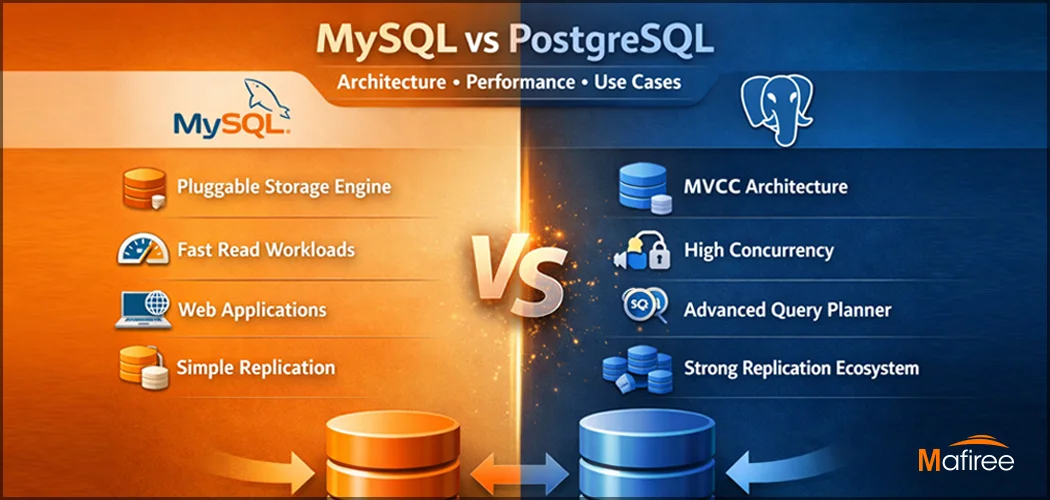
Key Differences Between MySQL and PostgreSQL: Architecture, Performance & Use Cases

Understanding the difference between MySQL and PostgreSQL is critical when choosing a database for production workloads. While both are powerful open-source relational databases, they are built with fundamentally different philosophies. This comprehensive guide compares MySQL vs PostgreSQL across architecture, performance behavior under concurrent loads, replication strategies, and real-world use cases — backed by Mafiree's 17+ years of hands-on production experience across India, APAC, and the Middle East.

  231 views
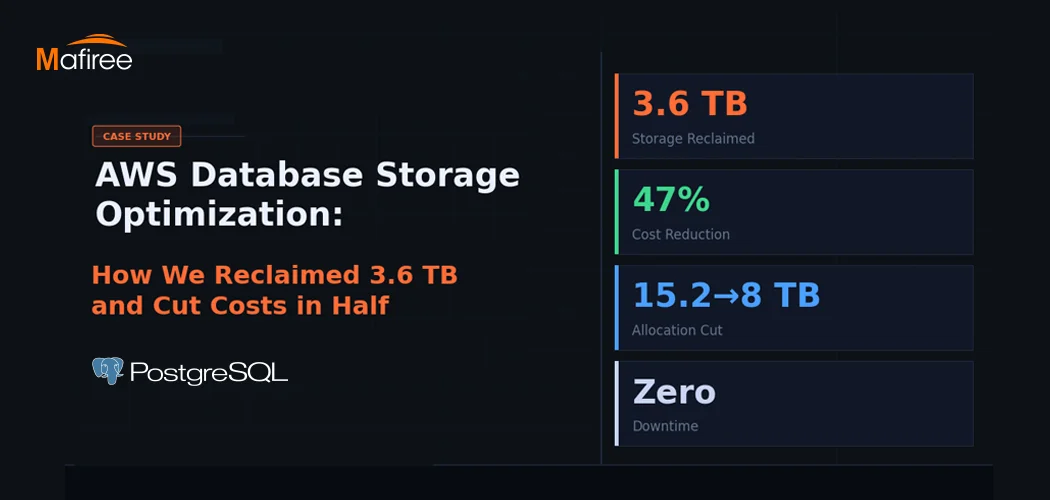
AWS Database Storage Optimization: How We Reclaimed 3.6 TB and Cut Costs in Half

A client came to us with a classic AWS database storage optimization problem: 15.2 TB allocated, less than a third actually in use — and a bill that kept growing regardless. Within one week, Mafiree had reclaimed 3.6 TB, validated a safe path to cut allocation nearly in half, and executed a zero-downtime migration. Here's the full story.

  339 views
PostgreSQL Connection Pooling: PgBouncer vs Odyssey – Performance & Configuration

PostgreSQL uses a process-per-connection model, which can limit scalability in high-traffic environments. Connection poolers help manage this challenge by reusing database connections efficiently. This blog compares PgBouncer and Odyssey, two popular PostgreSQL connection poolers, highlighting their architecture, performance characteristics, configuration differences, and ideal use cases. It helps organizations choose the right pooling solution based on workload scale, complexity, and operational requirements.

  2926 views
8 Enhancing Features in PostgreSQL 18

PostgreSQL 18: Efficiency, security, and reliability, all in one upgrade

  4417 views
Optimizing PostgreSQL Queries with Functional Indexes – A Real-World Case Study

Cutting Query Time from 10 Minutes to Under 1 Second – How Functional Indexes Helped Us Optimize Aurora PostgreSQL and Stabilize CPU Performance.

  3147 views

Subscribe for email updates

Get in touch with us

Highlights

More than 6000 Servers Monitored

Happy Clients

Certified DBAs

24 x 7 x 365 Support

PCI

Database Services

MySQL MongoDB PostgreSQL SQL Server Aerospike Clickhouse TiDB MariaDB Columnstore

Quick Links

Careers Blog Contact Privacy Policy Disclaimer Policy

Contacts

Linkedin Mafiree Facebook Mafiree Twitter Mafiree

Nagercoil Office

Miru IT Park, Vallankumaranvillai,

Nagercoil, Tamilnadu - 629 002.

Bangalore Office

Unit 303, Vanguard Rise,

5th Main, Konena Agrahara,

Old Airport Road, Bangalore - 560 017.

Call: +91 6383016411

Email: sales@mafiree.com


Copyright © - All Rights Reserved - Mafiree