Mafiree logo
  • About
  • Services
  • Blogs
  • Careers
  • Products
    • orbit logo Orbit
    • streamer logo Xstreami
  • Contact
Schedule a Call
Menu
  • About
  • Services
  • Blogs
  • Careers
  • Products
    • orbit logo Orbit
    • streamer logo Xstreami
  • Contact
  • Schedule a Call
Database
Database Database Managed Services
MySQL MySQL
MySQL Consulting Services
MySQL Migration Services
MySQL Optimization & Query Tuning
MySQL Database Administration
MySQL Backup & Recovery
MySQL Security & Maintenance
MySQL Cloud Services (AWS RDS, Aurora, Google Cloud SQL, Azure)
MySQL for Ecommerce
MySQL High Availability & Replication
MongoDB MongoDB
MongoDB Consulting Services
MongoDB Migration Services
MongoDB Optimization & Query Tuning
MongoDB Database Administration
MongoDB Backup & Recovery
MongoDB Security & Maintenance
MongoDB Cloud (Atlas)
MongoDB Solutions by Industry
MongoDB High Availability & Replication
PostgreSQL PostgreSQL
PostgreSQL Consulting
PostgreSQL Migration & Upgrades
Performance Tuning & Query Optimization
PostgreSQL Administration & Managed Services
High Availability, Clustering & Replication
PostgreSQL Backup, Recovery & Disaster Planning
PostgreSQL Security, Compliance & Auditing
PostgreSQL for Analytics & Data Warehousing
PostgreSQL on Cloud & Containers
PostgreSQL Extensions & Open-Source Integrations
PostgreSQL for Every Industry
SQL Server MSSQL
MSSQL Consulting Services
MSSQL Migration Services
MSSQL Optimization & Query Tuning Services
MSSQL Database Administration Services
MSSQL Backup & Recovery Services
MSSQL High Availability & Replication Services
MSSQL Security & Compliance Services
MSSQL Performance Monitoring & Health Checks
MSSQL Solutions by Industry
Aerospike Aerospike
Aerospike Consulting Services
Aerospike Migration Services
Aerospike Performance Optimization & Tuning
Aerospike Database Administration
Aerospike Backup & Recovery
Aerospike High Availability
Aerospike Cloud & Hybrid Deployments
Aerospike for Real-Time Applications (AdTech, FinTech, Retail, IoT)
Analytics DB
Analytics DB Analytics DB Services
Clickhouse Clickhouse
ClickHouse Consulting Services
ClickHouse Migration Services
ClickHouse Optimization & Query Tuning
ClickHouse Database Administration
ClickHouse Backup & Recovery
ClickHouse Security & Maintenance
ClickHouse Cloud Services (ClickHouse Cloud, AWS, GCP, Azure)
ClickHouse Solutions by Industry
ClickHouse High Availability & Replication
TiDB TiDB
TiDB Consulting & Architecture Planning
TiDB Administration & Maintenance
TiDB Security and Privacy Maintenance
TiDB Performance & Query Optimization
TiDB Migration Services
TiDB Backup & Disaster Recovery
TiDB High Availability Solutions
TiDB Solutions by Industry
TiDB Cloud Services
ScyllaDB ScyllaDB
ScyllaDB Consulting & Architecture Planning
ScyllaDB Administration & Maintenance
ScyllaDB Security and Privacy Maintenance
ScyllaDB Performance & Query Optimization
ScyllaDB Migration Services
ScyllaDB Backup & Disaster Recovery
ScyllaDB High Availability Solutions
ScyllaDB Solutions by Industry
ScyllaDB Cloud Services
DevOps
DevOps DevOps Services
Version Control Version Control
Kubernetes Kubernetes
Infrastructure Infrastructure Management
Web Servers Web Servers
Networking
Networking Networking Services
Basic Basic
Advanced Advanced
MySQL MySQL
MongoDB MongoDB
PostgreSQL PostgreSQL
MSSQL MSSQL
Aerospike Aerospike
Clickhouse Clickhouse
TiDB TiDB
ScyllaDB ScyllaDB
Version Control Version Control
Kubernetes Kubernetes
Infrastructure Infrastructure Management
Web Servers Web Servers
Basic Basic
Advanced Advanced
MySQL Consulting Services
MySQL Migration Services
MySQL Optimization & Query Tuning
MySQL Database Administration
MySQL Backup & Recovery
MySQL Security & Maintenance
MySQL Cloud Services (AWS RDS, Aurora, Google Cloud SQL, Azure)
MySQL for Ecommerce
MySQL High Availability & Replication
MongoDB Consulting Services
MongoDB Migration Services
MongoDB Optimization & Query Tuning
MongoDB Database Administration
MongoDB Backup & Recovery
MongoDB Security & Maintenance
MongoDB Cloud (Atlas)
MongoDB Solutions by Industry
MongoDB High Availability & Replication
PostgreSQL Consulting
PostgreSQL Migration & Upgrades
Performance Tuning & Query Optimization
PostgreSQL Administration & Managed Services
High Availability, Clustering & Replication
PostgreSQL Backup, Recovery & Disaster Planning
PostgreSQL Security, Compliance & Auditing
PostgreSQL for Analytics & Data Warehousing
PostgreSQL on Cloud & Containers
PostgreSQL Extensions & Open-Source Integrations
PostgreSQL for Every Industry
MSSQL Consulting Services
MSSQL Migration Services
MSSQL Optimization & Query Tuning Services
MSSQL Database Administration Services
MSSQL Backup & Recovery Services
MSSQL High Availability & Replication Services
MSSQL Security & Compliance Services
MSSQL Performance Monitoring & Health Checks
MSSQL Solutions by Industry
Aerospike Consulting Services
Aerospike Migration Services
Aerospike Performance Optimization & Tuning
Aerospike Database Administration
Aerospike Backup & Recovery
Aerospike High Availability
Aerospike Cloud & Hybrid Deployments
Aerospike for Real-Time Applications (AdTech, FinTech, Retail, IoT)
ClickHouse Consulting Services
ClickHouse Migration Services
ClickHouse Optimization & Query Tuning
ClickHouse Database Administration
ClickHouse Backup & Recovery
ClickHouse Security & Maintenance
ClickHouse Cloud Services (ClickHouse Cloud, AWS, GCP, Azure)
ClickHouse Solutions by Industry
ClickHouse High Availability & Replication
TiDB Consulting & Architecture Planning
TiDB Administration & Maintenance
TiDB Security and Privacy Maintenance
TiDB Performance & Query Optimization
TiDB Migration Services
TiDB Backup & Disaster Recovery
TiDB High Availability Solutions
TiDB Solutions by Industry
TiDB Cloud Services
ScyllaDB Consulting & Architecture Planning
ScyllaDB Administration & Maintenance
ScyllaDB Security and Privacy Maintenance
ScyllaDB Performance & Query Optimization
ScyllaDB Migration Services
ScyllaDB Backup & Disaster Recovery
ScyllaDB High Availability Solutions
ScyllaDB Solutions by Industry
ScyllaDB Cloud Services
  1. Home
  2. > Blogs
  3. > PostgreSQL
  4. > 7 Enhancing Features In PostgreSQL 17

7 Enhancing Features In PostgreSQL 17

PostgreSQL 17 is here to revolutionize your database experience! Packed with enhanced performance, cutting-edge features, and improved scalability, this release is designed to meet the evolving demands of modern applications. Whether you're handling complex queries or scaling to new heights, PostgreSQL 17 brings unparalleled reliability and efficiency to your data management solutions.

Jethish October 03, 2024

Subscribe for email updates

PostgreSQL, one of the most powerful and flexible open-source databases, continues to evolve with each new release. With PostgreSQL 17, the development community has introduced an array of exciting features designed to enhance performance, scalability, and ease of use. Whether you’re managing large-scale applications or exploring the latest in database innovation, PostgreSQL 17 offers something for everyone. In this blog, we’ll dive into the most interesting features of this release, highlighting the advancements that make it a standout choice for modern database needs.

1. Support for incremental backups

PostgreSQL 17 introduces incremental backups, enhancing the flexibility and efficiency of its backup and recovery capabilities. By backing up only the data that has changed since the last backup, incremental backups save time and storage space. This feature makes PostgreSQL 17 an appealing option for organizations seeking more effective backup strategies. There comes a new parameter called summarize_wal to perform incremental backup.

Create a directory for backups:

  1. mkdir base_backup1/

Then, take a full base backup of the instance:

  1. pg_basebackup -D base_backup1/ -p 1717 -c fast

After that, make some data changes on the instance and take an incremental backup:

  1. pg_basebackup --incremental=base_backup1/backup_manifest -D base_backup2/ -p 1717 -c fast

The incremental backup will now be successfully created. To restore the backups, you can use the new feature called pg_combinebackup.

Create a new directory for restoring the backup:

  1. mkdir restore_backup

Use the following command to combine the full backup with the incremental backup and restore it:

  1. pg_combinebackup base_backup1/ base_backup2/ -o /var/lib/pgsql/17/restore_backup

2. Logical replication enhancements

PostgreSQL 17, introduces the pg_createsubscriber utility, simplifying the conversion from physical to logical replication.

  1. pg_createsubscriber -D Subscriber_datadirectory -p Subscriber_Port -P 'host=Publisher_Ip port=Publiser_port user=postgres' -d Database -U Username -v --publication=publication name --subscription=Subscriber name

When we set up logical replication between a source and a target, all the data must initially be copied from the source to the target. Depending on the size of the tables in your setup, this process may take a considerable amount of time.

However, with pg_create_subscriber, you no longer need to perform the initial data copy, as it was already completed during the setup of the physical replica.

3. COPY WITH ON_ERROR/LOG_VERBOSITY

With PostgreSQL 17, the COPY command has become more user-friendly and now includes options for error handling. It introduces two new parameters: ON_ERROR and LOG_VERBOSITY.

The ON_ERROR parameter, when set to IGNORE, applies only to data type incompatibilities and to text or CSV format input files. The default behavior is ON_ERROR stop.

The LOG_VERBOSITY parameter allows users to control the level of information that is logged.

  • PostgreSQL 16 :
  1.     test=# COPY employee (first_name, last_name, email, hire_date, salary) FROM '/var/lib/pgsql/16/new_data.txt' WITH (DELIMITER ',', NULL '',ON_ERROR ignore,HEADER FALSE);
  2.     ERROR:  option "on_error" not recognized
  3.     LINE 1: ...sql/16/new_data.txt' WITH (DELIMITER ',', NULL '',ON_ERROR i...
  • PostgreSQL 17 :
  1.     test=# COPY employee (first_name, last_name, email, hire_date, salary) FROM '/var/lib/pgsql/17/new_data.txt' WITH (DELIMITER ',', NULL '',ON_ERROR ignore,LOG_VERBOSITY verbose ,HEADER FALSE);
  2.     NOTICE:  skipping row due to data type incompatibility at line 1 for column "last_name": "maxwell"
  3.     NOTICE:  skipping row due to data type incompatibility at line 2 for column "first_name": "Rexcily"
  4.     NOTICE:  2 rows were skipped due to data type incompatibility
  5.     COPY 1

4. SQL/JSON Enhancements

  • JSON_TABLE :
    The JSON_TABLE operator temporarily converts your JSON-formatted data into a relational table.

Create a json table :

  1. `test=# create table Employee (json_col jsonb);
  2. CREATE TABLE`

Insert data on it :

  1. `test=# INSERT INTO Employee VALUES (
  2. '{ "person": [
  3. { "name":"Jethish", "address":"Tamilnadu"},
  4. { "name":"Rexcily", "address":"Bangalore"},
  5. { "name":"Praveen", "Kerala"}
  6. ] }'
  7. );
  8. INSERT 0 1`

Using JSON_TABLE function read the table ,

  1. `test=# SELECT person.*
  2. FROM Employee,
  3. JSON_TABLE(json_col, '$.person[*]' COLUMNS (
  4. name VARCHAR(40) PATH '$.name',
  5. address VARCHAR(100) PATH '$.address')
  6. ) person;
  7.  
  8.      name     |                 address                 
  9. --------------+-----------------------------------------
  10.  Jethish      | Tamilnadu
  11.  Rexcily      | Bangalore
  12.  Praveen      | Kerala
  13. (3 rows)`
  • JSON() :
    Converts a given expression specified as text or bytea string (in UTF8 encoding) into a JSON value
  1. `test=# SELECT json('{"first_name": "jethish", "last_name": "maxwell"}');
  2.                        json                        
  3. ---------------------------------------------------
  4.  {"first_name": "jethish", "last_name": "maxwell"}
  5. (1 row)`
  • JSON_SERIALIZE() :
    Converts an SQL/JSON expression into a character or binary string.
  1.     `test=# SELECT JSON_SERIALIZE('{"Employee": "Jethish", "Address": "Nagercoil" , "Salary" : "10000"}' RETURNING bytea);
  2.                                                                    json_serialize                                                               
  3.     --------------------------------------------------------------------------------------------------------------------------------------------
  4.      \x7b22456d706c6f796565223a20224a657468697368222c202241646472657373223a20224e61676572636f696c22202c202253616c61727922203a20223130303030227d
  5.     (1 row)`
  • JSON_SCALAR() :
    Converts a given SQL scalar value into a JSON scalar value.
  1.        `test=# select json_scalar(now());
  2.                     json_scalar             
  3.         ------------------------------------
  4.          "2024-10-03T07:06:45.014598+00:00"
  5.         (1 row)`
  • JSON_QUERY() :
    It extracts an array or string from JSON in SQL Server
  1. `test=# SELECT JSON_QUERY(jsonb '{"Employee": "jethish", "employee_details": ["jethish", "10000"]}', '$.employee_details');
  2.                   json_query      
  3.             ----------------------
  4.              ["jethish", "10000"]
  5.             (1 row)`
  • JSON_EXISTS() :
    Returns true if the SQL/JSON path_expression applied to the JSON value yields any items
  1.     `test=# SELECT JSON_EXISTS(jsonb '{"key1": [1, 2, 3]}', '$.key1[1]');
  2.      json_exists 
  3.     -------------
  4.      t
  5.     (1 row)`
  • JSON_VALUE() :
    Returns the result (SQL/JSON scalar) of applying the SQL/JSON path_expression to the JSON value
  1.     `test=# SELECT JSON_VALUE(jsonb '[1, 2]', '$[0]');
  2.      json_value 
  3.     ------------
  4.      1
  5.     (1 row)`

5. No Need Of Superuser Privileges For Maintenance Jobs

VACUUM, ANALYZE, CLUSTER, REFRESH MATERIALIZED VIEW, REINDEX, and LOCK TABLE operations on tables can now be performed without superuser privileges, thanks to the introduction of a new role called pg_maintain.

Currently, there is a table named maintenance.

  1. `pg_maintain=# \dt+
  2.                                       List of relations
  3.  Schema |    Name     | Type  |  Owner   | Persistence | Access method | Size  | Description 
  4. --------+-------------+-------+----------+-------------+---------------+-------+-------------
  5.  public | maintenance | table | postgres | permanent   | heap          | 48 kB | 
  6. (1 row)
  7.  
  8. pg_maintain=# \dp+
  9.                                      Access privileges
  10.  Schema |        Name        |   Type   | Access privileges | Column privileges | Policies 
  11. --------+--------------------+----------+-------------------+-------------------+----------
  12.  public | maintenance        | table    |                   |                   | 
  13.  public | maintenance_id_seq | sequence |                   |                   | 
  14. (2 rows)`

As observed, no privileges have been granted for the table.

Next, create a new user with no privileges:

  1. pg_maintain=# CREATE USER mafiree;
  2. CREATE ROLE

Log in to the server using the newly created user, mafiree:

  1. [postgres@mafiree ~]$ psql -p 1717 -U mafiree pg_maintain

After successfully logging in, attempt to perform a read and vacuum operation:

  1. pg_maintain=> SELECT * FROM maintenance;
  2. ERROR:  permission denied for table maintenance
  3.  
  4. pg_maintain=> VACUUM maintenance;
  5. WARNING:  permission denied to vacuum "maintenance", skipping it
  6. VACUUM

Now map the pg_maintain role with the new user mafiree.

  1. pg_maintain=# GRANT pg_maintain TO mafiree;
  2. GRANT ROLE

Next, check the vacuum operation again:

  1. [postgres@mafiree ~]$ psql -p 1717 -U mafiree pg_maintain
  2.  
  3. pg_maintain=> VACUUM maintenance;
  4. VACUUM

The vacuum process completed successfully. However, the user still cannot access the table:

  1. pg_maintain=> SELECT * FROM maintenance;
  2. ERROR:  permission denied for table maintenance

Also we can provide the privilege for a specific table also.

  1. pg_maintain=# grant maintain on table maintenance to mafiree_one ;
  2. GRANT

6. Enhancement In EXPLAIN :

The EXPLAIN command now features two new options: SERIALIZE and MEMORY. These options help database administrators and developers analyze and optimize the performance of SQL queries in PostgreSQL. By reviewing the execution plan, you can identify areas for improvement and ensure your queries execute efficiently.

  1. test=# EXPLAIN (ANALYZE, SERIALIZE, MEMORY, BUFFERS) select * from  employee;
  2.                                               QUERY PLAN                                               
  3. -------------------------------------------------------------------------------------------------------
  4.  Seq Scan on employee  (cost=0.00..12.50 rows=250 width=290) (actual time=0.007..0.008 rows=8 loops=1)
  5.    Buffers: shared hit=1 dirtied=1
  6.  Planning:
  7.    Buffers: shared hit=54
  8.    Memory: used=9kB  allocated=16kB
  9.  Planning Time: 0.122 ms
  10.  Serialization: time=0.006 ms  output=1kB  format=text
  11.  Execution Time: 0.021 ms
  12. (8 rows)

7. MERGE with RETURNING support :

PostgreSQL 17 enhances functionality by adding support for the RETURNING clause. This improvement enables developers to retrieve and return the rows affected by the MERGE operation in a single step, thereby minimizing the need for additional queries.

Create a Table Called Products

  1. CREATE TABLE products (
  2.     id SERIAL PRIMARY KEY,
  3.     name VARCHAR(100) NOT NULL,
  4.     category VARCHAR(50),
  5.     price NUMERIC(10, 2) NOT NULL
  6. );

Using the MERGE command and the RETURNING clause, introduced in the PostgreSQL 17 update, you can update an existing value:

  1. test=# MERGE INTO products p
  2. USING (VALUES ('Laptop', 'Electronics', '899.99'::numeric)) v(name, category, price)
  3. ON p.name = v.name
  4. WHEN MATCHED THEN
  5.  UPDATE SET category = v.category, price = v.price
  6. WHEN NOT MATCHED THEN
  7. INSERT (name, category, price)
  8.  VALUES (v.name, v.category, v.price)
  9. RETURNING *;
  10.   name  |  category   | price  | id |  name  |  category   | price  
  11. --------+-------------+--------+----+--------+-------------+--------
  12.  Laptop | Electronics | 899.99 |  1 | Laptop | Electronics | 899.99
  13. (1 row)

This command updates the existing data and returns the output.

Now, let’s insert data using the MERGE command and the RETURNING clause:

  1. test=# MERGE INTO products p
  2. USING (VALUES ('Desk', 'Furniture', '199.99'::numeric)) v(name, category, price)
  3. ON p.name = v.name
  4. WHEN MATCHED THEN
  5. UPDATE SET category = v.category, price = v.price
  6. WHEN NOT MATCHED THEN
  7. INSERT (name, category, price)
  8. VALUES (v.name, v.category, v.price)
  9. RETURNING *;
  10.  name | category  | price  | id | name | category  | price  
  11. ------+-----------+--------+----+------+-----------+--------
  12.  Desk | Furniture | 199.99 |  4 | Desk | Furniture | 199.99
  13. (1 row)

Upgrading to PostgreSQL 17 opens the door to a range of powerful features that can significantly enhance your database performance and overall user experience. Whether you’re looking to improve query efficiency, implement more advanced data types, or streamline your administrative processes, PostgreSQL 17 offers the tools you need to stay competitive in a rapidly evolving landscape. If you have any questions or require assistance with your PostgreSQL upgrade, feel free to reach out to us at sales@mafiree.com for dedicated PostgreSQL support. Together, let’s unlock the full potential of your data with PostgreSQL 17.

Author Bio

Jethish

Jethish is a PostgreSQL DBA at Mafiree with expertise in building scalable, reliable, and high-performance database infrastructures. He focuses on PostgreSQL architecture, replication strategies, performance tuning, and high availability for mission-critical systems. Through his technical writing, he shares clear, practical insights on database internals, replication choices, load balancing, and cross-database integrations that help engineers and DBAs tackle real-world data challenges.

Leave a Comment

Related Blogs

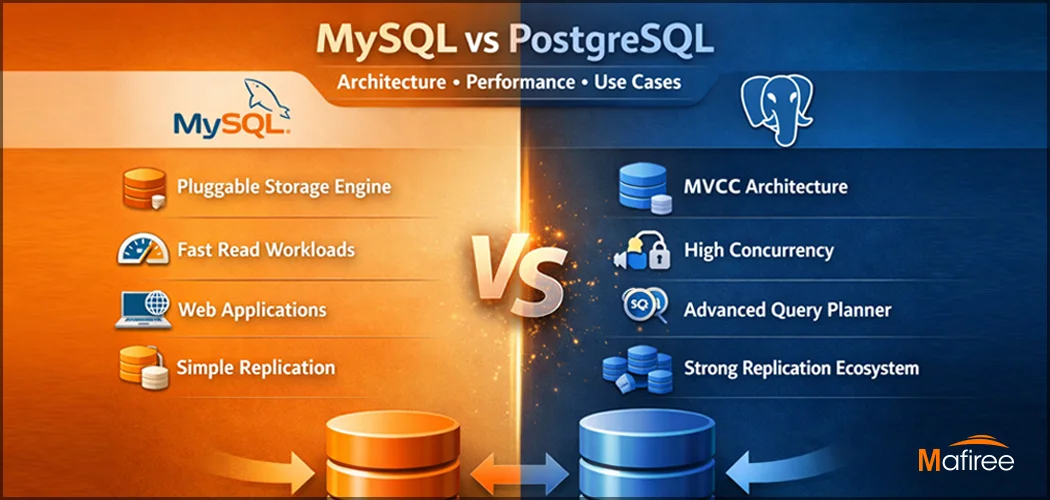
Key Differences Between MySQL and PostgreSQL: Architecture, Performance & Use Cases

Understanding the difference between MySQL and PostgreSQL is critical when choosing a database for production workloads. While both are powerful open-source relational databases, they are built with fundamentally different philosophies. This comprehensive guide compares MySQL vs PostgreSQL across architecture, performance behavior under concurrent loads, replication strategies, and real-world use cases — backed by Mafiree's 17+ years of hands-on production experience across India, APAC, and the Middle East.

  49 views
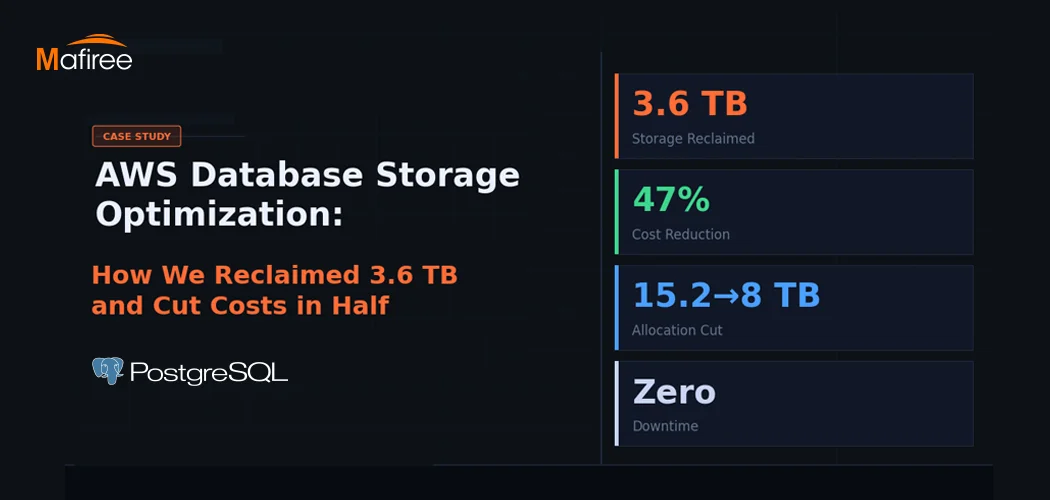
AWS Database Storage Optimization: How We Reclaimed 3.6 TB and Cut Costs in Half

A client came to us with a classic AWS database storage optimization problem: 15.2 TB allocated, less than a third actually in use — and a bill that kept growing regardless. Within one week, Mafiree had reclaimed 3.6 TB, validated a safe path to cut allocation nearly in half, and executed a zero-downtime migration. Here's the full story.

  262 views
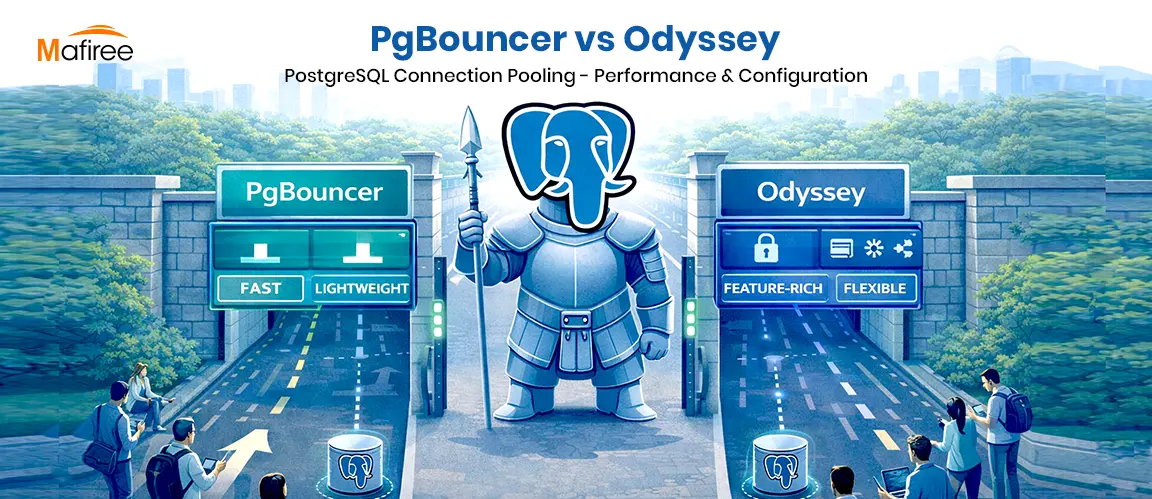
PostgreSQL Connection Pooling: PgBouncer vs Odyssey – Performance & Configuration

PostgreSQL uses a process-per-connection model, which can limit scalability in high-traffic environments. Connection poolers help manage this challenge by reusing database connections efficiently. This blog compares PgBouncer and Odyssey, two popular PostgreSQL connection poolers, highlighting their architecture, performance characteristics, configuration differences, and ideal use cases. It helps organizations choose the right pooling solution based on workload scale, complexity, and operational requirements.

  2446 views
8 Enhancing Features in PostgreSQL 18

PostgreSQL 18: Efficiency, security, and reliability, all in one upgrade

  4258 views
Optimizing PostgreSQL Queries with Functional Indexes – A Real-World Case Study

Cutting Query Time from 10 Minutes to Under 1 Second – How Functional Indexes Helped Us Optimize Aurora PostgreSQL and Stabilize CPU Performance.

  3014 views

Subscribe for email updates

Get in touch with us

Highlights

More than 6000 Servers Monitored

Happy Clients

Certified DBAs

24 x 7 x 365 Support

PCI

Database Services

MySQL MongoDB PostgreSQL SQL Server Aerospike Clickhouse TiDB MariaDB Columnstore

Quick Links

Careers Blog Contact Privacy Policy Disclaimer Policy

Contacts

Linkedin Mafiree Facebook Mafiree Twitter Mafiree

Nagercoil Office

Miru IT Park, Vallankumaranvillai,

Nagercoil, Tamilnadu - 629 002.

Bangalore Office

Unit 303, Vanguard Rise,

5th Main, Konena Agrahara,

Old Airport Road, Bangalore - 560 017.

Call: +91 6383016411

Email: sales@mafiree.com


Copyright © - All Rights Reserved - Mafiree