
Mafiree logo
  • About
  • Services
  • Blogs
  • Careers
  • Products
    • orbit logo Orbit
    • streamer logo Xstreami
  • Contact
Schedule a Call
Menu
  • About
  • Services
  • Blogs
  • Careers
  • Products
    • orbit logo Orbit
    • streamer logo Xstreami
  • Contact
  • Schedule a Call
Database
Database Managed Database Services
MySQL MySQL
MySQL Consulting
MySQL Migration Services
MySQL Optimization & Query Tuning
MySQL Database Administration
MySQL Backup & Recovery
MySQL Security & Maintenance
MySQL Cloud Services (AWS RDS, Aurora, Google Cloud SQL, Azure)
MySQL for Ecommerce
MySQL High Availability & Replication
MongoDB MongoDB
MongoDB Consulting
MongoDB Migration Services
MongoDB Optimization & Query Tuning
MongoDB Database Administration
MongoDB Backup & Recovery
MongoDB Security & Maintenance
MongoDB Cloud (Atlas)
MongoDB Solutions by Industry
MongoDB High Availability & Replication
PostgreSQL PostgreSQL
PostgreSQL Consulting
PostgreSQL Migration & Upgrades
Performance Tuning & Query Optimization
PostgreSQL Administration & Managed Services
High Availability, Clustering & Replication
PostgreSQL Backup, Recovery & Disaster Planning
PostgreSQL Security, Compliance & Auditing
PostgreSQL for Analytics & Data Warehousing
PostgreSQL on Cloud & Containers
PostgreSQL Extensions & Open-Source Integrations
PostgreSQL for Every Industry
SQL Server MSSQL
MSSQL Consulting
MSSQL Migration Services
MSSQL Optimization & Query Tuning Services
MSSQL Database Administration Services
MSSQL Backup & Recovery Services
MSSQL High Availability & Replication Services
MSSQL Security & Compliance Services
MSSQL Performance Monitoring & Health Checks
MSSQL Solutions by Industry
Aerospike Aerospike
Aerospike Consulting
Aerospike Migration Services
Aerospike Performance Optimization & Tuning
Aerospike Backup & Recovery
Aerospike High Availability
Aerospike Cloud & Hybrid Deployments
Aerospike for Real-Time Applications (AdTech, FinTech, Retail, IoT)
Clickhouse Clickhouse
ClickHouse Consulting
ClickHouse Migration Services
ClickHouse Optimization & Query Tuning
ClickHouse Database Administration
ClickHouse Backup & Recovery
ClickHouse Security & Maintenance
ClickHouse Cloud Services (ClickHouse Cloud, AWS, GCP, Azure)
ClickHouse Solutions by Industry
ClickHouse High Availability & Replication
TiDB TiDB
TiDB Consulting
TiDB Administration & Maintenance
TiDB Security and Privacy Maintenance
TiDB Performance & Query Optimization
TiDB Migration Services
TiDB Backup & Disaster Recovery
TiDB High Availability Solutions
TiDB Solutions by Industry
TiDB Cloud Services
ScyllaDB ScyllaDB
ScyllaDB Consulting
ScyllaDB Administration & Maintenance
ScyllaDB Security and Privacy Maintenance
ScyllaDB Performance & Query Optimization
ScyllaDB Migration Services
ScyllaDB Backup & Disaster Recovery
ScyllaDB High Availability Solutions
ScyllaDB Solutions by Industry
ScyllaDB Cloud Services
DevOps
DevOps DevOps Services
Version Control Version Control
Kubernetes Kubernetes
Infrastructure Infrastructure Management
Web Servers Web Servers
Networking
Networking Networking Services
Basic Basic
Advanced Advanced
MySQL MySQL
MongoDB MongoDB
PostgreSQL PostgreSQL
MSSQL MSSQL
Aerospike Aerospike
Clickhouse Clickhouse
TiDB TiDB
ScyllaDB ScyllaDB
Version Control Version Control
Kubernetes Kubernetes
Infrastructure Infrastructure Management
Web Servers Web Servers
Basic Basic
Advanced Advanced
MySQL Consulting
MySQL Migration Services
MySQL Optimization & Query Tuning
MySQL Database Administration
MySQL Backup & Recovery
MySQL Security & Maintenance
MySQL Cloud Services (AWS RDS, Aurora, Google Cloud SQL, Azure)
MySQL for Ecommerce
MySQL High Availability & Replication
MongoDB Consulting
MongoDB Migration Services
MongoDB Optimization & Query Tuning
MongoDB Database Administration
MongoDB Backup & Recovery
MongoDB Security & Maintenance
MongoDB Cloud (Atlas)
MongoDB Solutions by Industry
MongoDB High Availability & Replication
PostgreSQL Consulting
PostgreSQL Migration & Upgrades
Performance Tuning & Query Optimization
PostgreSQL Administration & Managed Services
High Availability, Clustering & Replication
PostgreSQL Backup, Recovery & Disaster Planning
PostgreSQL Security, Compliance & Auditing
PostgreSQL for Analytics & Data Warehousing
PostgreSQL on Cloud & Containers
PostgreSQL Extensions & Open-Source Integrations
PostgreSQL for Every Industry
MSSQL Consulting
MSSQL Migration Services
MSSQL Optimization & Query Tuning Services
MSSQL Database Administration Services
MSSQL Backup & Recovery Services
MSSQL High Availability & Replication Services
MSSQL Security & Compliance Services
MSSQL Performance Monitoring & Health Checks
MSSQL Solutions by Industry
Aerospike Consulting
Aerospike Migration Services
Aerospike Performance Optimization & Tuning
Aerospike Backup & Recovery
Aerospike High Availability
Aerospike Cloud & Hybrid Deployments
Aerospike for Real-Time Applications (AdTech, FinTech, Retail, IoT)
ClickHouse Consulting
ClickHouse Migration Services
ClickHouse Optimization & Query Tuning
ClickHouse Database Administration
ClickHouse Backup & Recovery
ClickHouse Security & Maintenance
ClickHouse Cloud Services (ClickHouse Cloud, AWS, GCP, Azure)
ClickHouse Solutions by Industry
ClickHouse High Availability & Replication
TiDB Consulting
TiDB Administration & Maintenance
TiDB Security and Privacy Maintenance
TiDB Performance & Query Optimization
TiDB Migration Services
TiDB Backup & Disaster Recovery
TiDB High Availability Solutions
TiDB Solutions by Industry
TiDB Cloud Services
ScyllaDB Consulting
ScyllaDB Administration & Maintenance
ScyllaDB Security and Privacy Maintenance
ScyllaDB Performance & Query Optimization
ScyllaDB Migration Services
ScyllaDB Backup & Disaster Recovery
ScyllaDB High Availability Solutions
ScyllaDB Solutions by Industry
ScyllaDB Cloud Services
  1. Home
  2. > Blogs
  3. > MongoDB
  4. > MongoDB Atlas Vector Search Tutorial: Build Semantic Search for Free

MongoDB Atlas Vector Search Tutorial: Build Semantic Search for Free

Build semantic search on MongoDB Atlas without paying for an embedding API. This tutorial shows two free routes: automatic embeddings with Voyage AI models (autoEmbed), where Atlas creates the vectors for you, and open-source sentence-transformers embeddings that you generate yourself. You will load sample data, create a vector index, query with $vectorSearch, add filters, and learn how to troubleshoot common problems, with an optional section for OpenAI embeddings.

Abishek S October 19, 2026

Subscribe for email updates

RSS feed
Summarize with AI: ChatGPT Google AI Perplexity Claude Grok

Large language models are powerful, but they only know what they were trained on. To make them useful on your own data, such as product docs, support tickets or internal knowledge, you need a way to find the most relevant information and hand it to the model at query time. That pattern is Retrieval-Augmented Generation (RAG), and vector search is the engine behind it.

If your data already lives in MongoDB, MongoDB Atlas Vector Search lets you store embeddings next to your documents and query them with the same aggregation framework. You do not need a paid embedding API to try it. In this tutorial you will build semantic search on the Atlas free tier in two ways: with automatic embeddings (Voyage AI) where Atlas generates the vectors for you, and with open-source embeddings that you generate locally.

Planning to Migrate your data from MongoDB on-prem to Atlas?

Mafiree’s MongoDB Migration Team help to migrate your data with minimal or no downtime

How semantic search works in Atlas
  1. 1TextYour documents and your question
  2. 2EmbeddingA list of numbers that represents the meaning of the text
  3. 3Vector indexAtlas indexes the embeddings and keeps them in sync
  4. 4$vectorSearchFinds the nearest neighbors to the query vector

What Is MongoDB Atlas Vector Search?

Atlas Vector Search is a feature of MongoDB Atlas that indexes vector embeddings stored in your documents and finds the nearest neighbors to a query vector. An embedding is a list of numbers that represents the meaning of a piece of text, so texts with similar meaning end up close together in vector space.

Key points from the official documentation:

  • Embeddings are stored as arrays of numbers in a regular document field, alongside your other data.
  • You define a vectorSearch type index on that field, and Atlas keeps it in sync as data changes.
  • You query with the $vectorSearch aggregation stage, so results can be combined with $match, $project, $lookup and other stages.
  • It supports both approximate nearest neighbor (ANN) search and exact nearest neighbor (ENN) search.

Check out MongoDB’s official document to know more about MongoDB Atlas Vector Search.

Why Use Vector Search for LLM Applications?

LLMs have context limits and can hallucinate when they lack facts. Vector search helps by:

  • Grounding answers in your own, current data (RAG).
  • Enabling semantic search, where "reset my login" can match an article titled "Recover your account access".
  • Powering recommendations and deduplication using similarity between items.
  • Giving agents long-term memory by storing and recalling past interactions.

A common reason teams choose Atlas for this is simplicity: one platform for operational data, metadata filters and vectors means fewer systems to sync and secure.

Choose Your Embeddings Approach

A vector index needs embeddings, which are lists of numbers that represent the meaning of text. You have three ways to get them:

ApproachEmbedding code neededCostBest for
Atlas autoEmbed (Voyage AI models)None. Atlas embeds your data and your query textFree tier available from Voyage AIThe fastest start
Open-source model (sentence-transformers)A small Python helperFree, runs on your own machineFull control and offline use
OpenAI embeddingsA small Python helperPaid, needs API creditsTeams already using OpenAI

This tutorial covers the first two in full and the third briefly. Automatic embedding is a newer Atlas feature, so confirm its availability for your cluster tier and region in the docs before relying on it.

Two free paths to semantic search

Path A: Atlas autoEmbed (Voyage AI)

  • No embedding code needed
  • Atlas embeds your data and your query text
  • Search with query.text
  • Best for the fastest start

Path B: sentence-transformers

  • A small Python helper
  • Free, runs on your own machine
  • Search with queryVector
  • Best for full control and offline use

Prerequisites

  • A MongoDB Atlas account and a free (M0) cluster. The free tier supports Atlas Vector Search, with limits on the number of search indexes.
  • Your IP address in the Atlas network access list and a database user.
  • mongosh (a recent version) for Path A.
  • Python 3.9 or later for Path B.
  • No paid API key is needed.

Sample data. Both paths use a small collection of MongoDB concepts. Connect with mongosh and run:

mongosh
use mongodb_lab db.concepts.insertMany([ { _id: 1, topic: "Indexing", category: "performance", level: "beginner", status: "active", content: "MongoDB indexes improve query performance by reducing the number of documents scanned. Compound indexes support queries that filter or sort on multiple fields." }, { _id: 2, topic: "Sharding", category: "architecture", level: "intermediate", status: "active", content: "MongoDB sharding distributes a large dataset across multiple shards. A shard key determines how documents are distributed, and a balancer migrates chunks when necessary." }, { _id: 3, topic: "Replication", category: "high-availability", level: "beginner", status: "active", content: "A MongoDB replica set maintains multiple copies of data. The primary accepts writes, while secondary members replicate the primary's operations through the oplog." }, { _id: 4, topic: "Aggregation", category: "querying", level: "intermediate", status: "active", content: "MongoDB aggregation pipelines process documents through stages such as match, group, project, sort, and lookup. These stages filter, transform, group, and join data." }, { _id: 5, topic: "Vector Search", category: "ai", level: "intermediate", status: "active", content: "MongoDB Vector Search retrieves documents based on semantic similarity. Text embeddings represent the meaning of content and help find related information even when exact keywords differ." }, { _id: 6, topic: "Backup and Restore", category: "backup", level: "beginner", status: "active", content: "MongoDB backups protect data against accidental deletion and infrastructure failures. Restore testing verifies that backup files can recover a usable database." }, { _id: 7, topic: "Bulk Inserts", category: "crud", level: "beginner", status: "active", content: "The insertMany method inserts multiple documents in a single operation. Ordered inserts stop at the first write error, while unordered inserts can continue processing other documents." }, { _id: 8, topic: "Bulk Updates", category: "crud", level: "beginner", status: "draft", content: "The updateMany method updates all documents matching a filter. Update operators such as set, inc, and addToSet can modify fields, increment numbers, and add unique array values." }, { _id: 9, topic: "TTL Indexes", category: "indexing", level: "intermediate", status: "active", content: "MongoDB TTL indexes automatically remove documents after a configured time interval. They are useful for expiring session records, temporary events, and retention-based data." }, { _id: 10, topic: "Query Optimization", category: "performance", level: "advanced", status: "active", content: "MongoDB explain execution statistics help DBAs identify collection scans, inefficient index scans, excessive document examination, and expensive query plans." } ])

Path A: Automatic Embeddings with Voyage AI (No Embedding Code)

With an autoEmbed field, you tell Atlas which text field to embed and which model to use. Atlas creates the vectors when it builds the index and keeps them in sync, and it embeds your query text at search time.

Step 1: Create the Vector Search Index

Use the createSearchIndexes command:

mongosh
db.runCommand({ createSearchIndexes: "concepts", indexes: [ { name: "concepts_vector_index", type: "vectorSearch", definition: { fields: [ { type: "autoEmbed", modality: "text", path: "content", model: "voyage-4" }, { type: "filter", path: "category" }, { type: "filter", path: "level" }, { type: "filter", path: "status" } ] } } ] })

Notice that there is no numDimensions and no embedding code. Atlas handles both.

Step 2: Wait Until the Index Is Ready

mongosh
db.concepts.getSearchIndexes("concepts_vector_index")

Wait until the output shows queryable: true. The first build embeds every document, so it can take a minute or more.

Step 3: Search with Plain Text

Instead of a queryVector, pass the question as query.text:

mongosh
db.concepts.aggregate([ { $vectorSearch: { index: "concepts_vector_index", path: "content", query: { text: "how do I distribute data across servers?" }, numCandidates: 10, limit: 3 } }, { $project: { _id: 0, topic: 1, category: 1, content: 1, score: { $meta: "vectorSearchScore" } } } ])

Sample output (scores may vary slightly):

output
[ { topic: 'Sharding', category: 'architecture', content: 'MongoDB sharding distributes a large dataset across multiple shards. A shard key determines how documents are distributed, and a balancer migrates chunks when necessary.', score: 0.7317491769790649 }, { topic: 'Replication', category: 'high-availability', content: "A MongoDB replica set maintains multiple copies of data. The primary accepts writes, while secondary members replicate the primary's operations through the oplog.", score: 0.6704772710800171 }, { topic: 'Aggregation', category: 'querying', content: 'MongoDB aggregation pipelines process documents through stages such as match, group, project, sort, and lookup. These stages filter, transform, group, and join data.', score: 0.6032080054283142 } ]

The top result is Sharding, even though the question never uses the word "shard". That is semantic search: the match is based on meaning, not keywords. Exact scores will vary with the model version.

Resources: MongoDB Docs, Automated Embedding for Atlas Vector Search; MongoDB Docs, $vectorSearch Aggregation Stage; MongoDB Docs, Voyage AI Text Embeddings.

Path B: Open-Source Embeddings with sentence-transformers

If you want full control, or want to run offline, generate the embeddings yourself with a free open-source model. This path uses all-MiniLM-L6-v2, which returns 384 dimensions and runs on a normal laptop CPU.

bash
pip install pymongo sentence-transformers export MONGODB_URI="mongodb+srv://<user>:<password>@<cluster>.mongodb.net/"

Step 1: Generate and Store Embeddings

python
import os from pymongo import MongoClient from sentence_transformers import SentenceTransformer model = SentenceTransformer("all-MiniLM-L6-v2") # 384 dimensions def get_embeddings(texts): return model.encode(texts, normalize_embeddings=True).tolist() collection = MongoClient(os.environ["MONGODB_URI"])["mongodb_lab"]["concepts"] docs = list(collection.find({}, {"content": 1})) vectors = get_embeddings([d["content"] for d in docs]) for doc, vector in zip(docs, vectors): collection.update_one({"_id": doc["_id"]}, {"$set": {"embedding": vector}}) print(f"Embedded {len(docs)} documents")

For longer documents, split the text into chunks of a few hundred tokens with a little overlap and embed each chunk as its own document.

Step 2: Create the Vector Search Index

python
from pymongo.operations import SearchIndexModel collection.create_search_index( model=SearchIndexModel( definition={ "fields": [ {"type": "vector", "path": "embedding", "numDimensions": 384, "similarity": "cosine"}, {"type": "filter", "path": "category"}, {"type": "filter", "path": "level"}, {"type": "filter", "path": "status"}, ] }, name="concepts_local_index", type="vectorSearch", ) )

Three rules matter here:

  • numDimensions must equal the length of your vectors exactly (384 for this model).
  • Filter fields must be declared in the index with type: "filter" before you can use them in a query.
  • Index builds are asynchronous. Wait until the index is queryable (collection.list_search_indexes("concepts_local_index") shows queryable: True) before searching.

Step 3: Query with $vectorSearch

Embed the question with the same model you used for the documents, then pass the vector to $vectorSearch:

python
def vector_search(question, limit=3, **filters): stage = { "$vectorSearch": { "index": "concepts_local_index", "path": "embedding", "queryVector": get_embeddings([question])[0], "numCandidates": 10, "limit": limit, } } if filters: stage["$vectorSearch"]["filter"] = filters return list(collection.aggregate([ stage, {"$project": {"_id": 0, "topic": 1, "level": 1, "content": 1, "score": {"$meta": "vectorSearchScore"}}}, ])) question = "how do I distribute data across servers?" print(f"\nQuestion: {question}") for r in vector_search(question): print(f" {r['score']:.4f} {r['topic']}") print(f" {r['content']}") print("\nFiltered (status=active, level=intermediate):") for r in vector_search("how do I distribute data across servers?", status="active", level="intermediate"): print(f" {r['score']:.4f} {r['topic']} [{r['level']}]") print(f" {r['content']}")

Sample output (scores may vary slightly):

output
Question: how do I distribute data across servers? 0.6216 Sharding MongoDB sharding distributes a large dataset across multiple shards. A shard key determines how documents are distributed, and a balancer migrates chunks when necessary. 0.5939 Replication A MongoDB replica set maintains multiple copies of data. The primary accepts writes, while secondary members replicate the primary's operations through the oplog. 0.5465 Aggregation MongoDB aggregation pipelines process documents through stages such as match, group, project, sort, and lookup. These stages filter, transform, group, and join data.

Note: small local models rank less precisely than larger hosted models, so scores and the order of close results can differ from Voyage. Atlas also rescales cosine scores to a 0 to 1 range, so they are higher than raw cosine values. If you need sharper ranking, ask a more specific question, or switch to a larger model such as all-mpnet-base-v2, which returns 768 dimensions, so update numDimensions to 768 and re-embed your data.

Top 3 scores for “how do I distribute data across servers?”

Path A: Voyage AI (autoEmbed)

Sharding0.7317
Replication0.6705
Aggregation0.6032

Path B: sentence-transformers

Sharding0.6216
Replication0.5939
Aggregation0.5465

Optional: Using OpenAI Embeddings Instead

If you already have an OpenAI API key, only the embedding helper and the index dimensions change. The rest of Path B stays the same. Remember that the API generally needs prepaid credits.

python
from openai import OpenAI openai_client = OpenAI(api_key=os.environ["OPENAI_API_KEY"]) def get_embeddings(texts): response = openai_client.embeddings.create(model="text-embedding-3-small", input=texts) return [item.embedding for item in response.data]

text-embedding-3-small returns 1536 dimensions by default, so set numDimensions to 1536 in a new index and store the vectors in the embedding field. You cannot mix vectors from different models in one index, so re-embed your data if you switch models.

Resources: OpenAI Platform Docs, Embeddings guide.

Common Problems and How to Fix Them

These issues come up often in the MongoDB Community Forums and in the docs' troubleshooting notes.

1. $vectorSearch returns no results. Check that the index status is READY, that the index name in your query matches the real index name and that the path matches the field holding the embeddings.

2. Dimension mismatch. The numDimensions in the index must equal the length of your vectors. If you change the embedding model or the dimensions parameter, you need to re-embed your data and update the index.

3. Filter not working. The filter field must be indexed as a filter type in the vector index. Add it to the index definition and wait for the rebuild.

4. Results look irrelevant. Make sure you embed queries with the same model as the documents. Then review chunk size, add metadata filters and consider hybrid search.

5. Slow or memory-heavy queries on large collections. Review your numCandidates value, consider quantization and check that your cluster tier has enough memory for the search nodes or index size. The docs include guidance on sizing and dedicated Search Nodes.

If queries are still slow after adjusting these settings, a MongoDB performance tuning review can find the index and sizing issues behind it.

6. "The maximum number of FTS indexes has been reached for this instance size." Free and small cluster tiers allow only a few search and vector search indexes per cluster, and the Atlas sample datasets can already use some of them. List your search indexes in the Atlas Search tab, then drop one you no longer need (in mongosh, for example, db.concepts.dropSearchIndex("concepts_vector_index")) or upgrade the cluster tier. In this tutorial's two paths you can build and test one index at a time, dropping the first before creating the second.

7. Empty results with no error. If $vectorSearch returns an empty array and no error, the index named in your query may not exist. Atlas does not raise an error for a missing index name. Run db.concepts.getSearchIndexes() and check that the index you are querying is listed with queryable: true. This often happens after dropping an index to stay under the free-tier limit.

Hitting Atlas tier limits or getting missing results? Mafiree can audit your Atlas setup and recommend the right cluster tier and index strategy for your workload.

Best Practices Checklist

  • Use one embedding model consistently for both documents and queries.
  • Chunk documents thoughtfully and store the source reference with each chunk.
  • Declare filter fields in your index from the start.
  • Store secrets in environment variables or a secrets manager.
  • Evaluate retrieval quality with a small test set of real questions before tuning the LLM prompt.
  • Monitor latency, index size and embedding costs as your data grows.

Conclusion

You can build working semantic search on MongoDB Atlas without paying for an embedding API. With autoEmbed, Atlas generates embeddings from Voyage AI models for you, and with sentence-transformers you generate them yourself. Either way, a vector index and a single $vectorSearch stage give you results based on meaning, which you can combine with filters, hybrid search and an LLM for RAG. Start with the free route, then move to a paid or larger model only if your quality or scale requirements call for it.

Want your MongoDB and Atlas setup to work as well as your search demo? Our MongoDB consulting services team handles everything from schema and index design to performance tuning, security, migrations and ongoing support, so your data layer stays fast and reliable as your search features grow.

Talk to Mafiree’s MongoDB experts

FAQ

No. You can use the Atlas free tier with Voyage AI autoEmbed, which has a free usage tier, or with open-source models such as sentence-transformers that run on your own machine. Check current limits in the docs.
AutoEmbed is the quickest way to start because Atlas handles embedding for both data and queries. Generating your own embeddings gives you full control over the model, batching, chunking and cost, and works with any provider.
Yes, but you need to re-embed your data and rebuild the index, because vectors from different models are not comparable and the dimensions may differ.
ANN is fast and approximate, ideal for large datasets. ENN checks every vector for exact results and suits smaller datasets or evaluation.
Yes, with limits on index counts and resources. Check the current limits page in the docs.

Author Bio

Abishek S

Abishek S is a MongoDB and TiDB Certified DBA at Mafiree with strong expertise in distributed databases, TiDB architecture, and cross-database consistency tools. He writes technical content focused on practical database solutions, data consistency verification, replication strategies, and performance optimization for modern data platforms. His work helps engineers and DBAs improve reliability and efficiency in real-world database operations.

Leave a Comment

Related Blogs

MongoDB Use Cases That Actually Need Expert Consulting Support

Not every MongoDB project needs a consultant—but complex workloads often do. This guide covers five MongoDB use cases where expert support can make the difference: schema design, large-scale migration, performance optimization, high availability and disaster recovery, and security and compliance.

  194 views
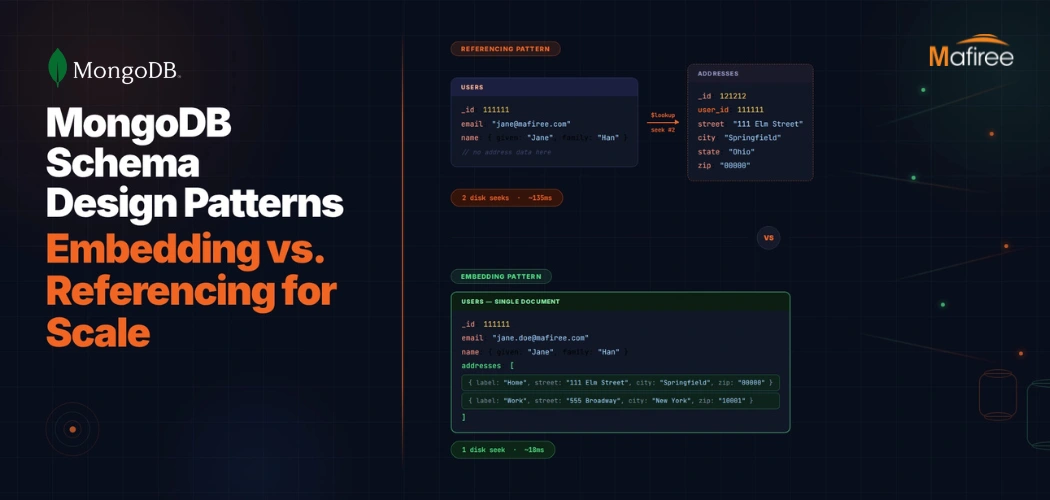
MongoDB Schema Design Patterns: Embedding vs. Referencing for Scale

Scale your MongoDB database by choosing the right relationship model. This guide breaks down the transition from traditional Referencing to high-performance Embedding and hybrid patterns like Extended References. Learn how to optimize your read/write paths and when to engage Mafiree’s performance tuning experts for enterprise-grade optimization.

  2845 views
MongoDB Query Optimization: How Mafiree Reduced E-Commerce Latency by 73%

Slow MongoDB queries silently erode user experience and revenue. This case study walks through how Mafiree’s MongoDB consulting team audited and optimized the query layer of a high-traffic e-commerce platform in India, reducing average API response times from 340ms to 92ms—a 73% improvement. It covers the diagnostic process using explain plans and profiler data, the indexing strategy overhaul, aggregation pipeline refactoring, and the monitoring framework that keeps performance on track.

  1714 views
MongoDB Transactions: A Comprehensive Guide to ACID Compliance

MongoDB ensures data consistency with single-document atomic operations and multi-document transactions. This guide explains how to implement transactions, their limitations, performance impacts, and best practices for production environments. It also highlights when to use distributed transactions and how expert consulting can help optimize performance.

  6646 views
Let MongoDB Clean Up After Itself: A Complete Guide to TTL Indexes

Tired of bloated log collections and messy data? TTL indexes in MongoDB automate your cleanup no cron jobs, no scripts. Learn how to set up, monitor, and optimize TTL for cleaner, faster, and self-maintaining databases.

  7831 views
Top 10 MongoDB Operators Every Developer Should Know (With Examples)

Unlock MongoDB’s full potential! Discover the most powerful MongoDB query operators to supercharge your queries with practical examples every developer can use. #MongoDB #DeveloperTips

  4632 views
Reclaiming MongoDB Storage Space: A Journey to 50% Space Reduction

Efficiently Reclaim Disk Space in MongoDB: Strategies and Solutions for Optimal Performance.

  4048 views
Don't Let Hackers In: How to Secure and Harden Your MongoDB Database

Learn how to protect your MongoDB database with robust security practices, including user authentication, encryption, IP whitelisting, and input validation. Ensure your data remains safe and accessible in today's evolving threat landscape.

  4915 views
Seamless Data Transition: Exploring MongoDB Cluster To Cluster Sync

Achieve real-time data consistency with MongoDB Cluster-to-Cluster Sync. Discover how MongoSync enables seamless data synchronization for disaster recovery, global availability, and smooth migrations.

  8487 views
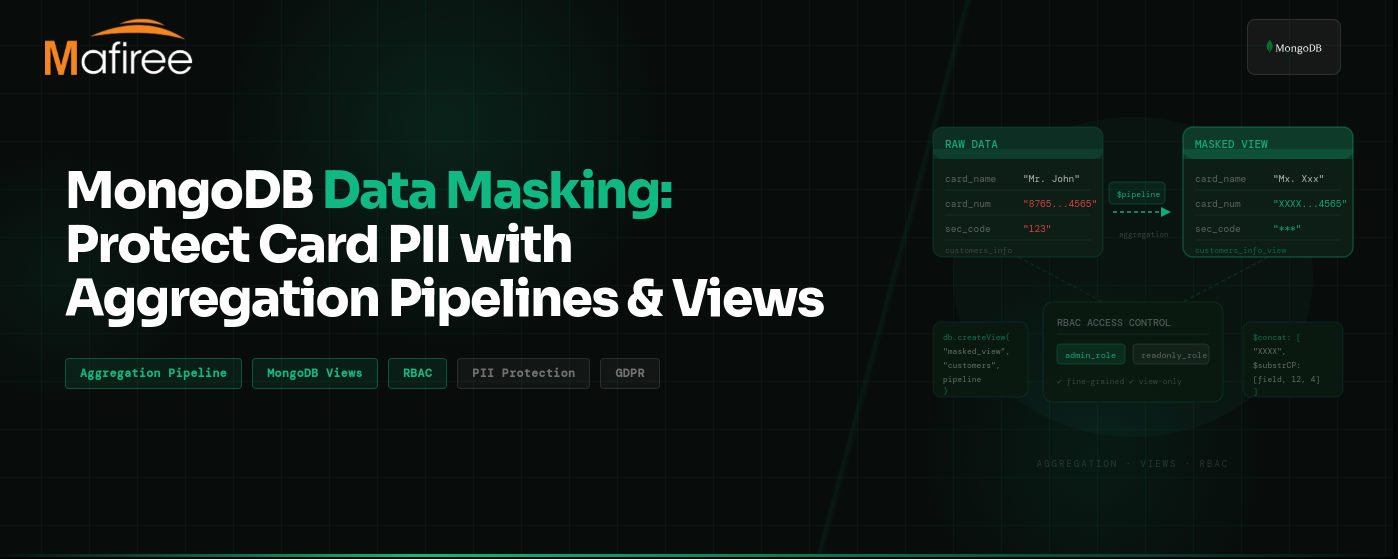
MongoDB Data Masking: Protect Card PII with Aggregation Pipelines and Views

MongoDB data masking helps organizations protect sensitive data like card numbers, names, and security codes while keeping data queryable. This guide explains how to implement masking using aggregation pipelines and RBAC-secured views, especially for environments where MongoDB field-level or queryable encryption is not available. Learn practical techniques, best practices, and real-world implementation steps to achieve MongoDB GDPR compliance.MongoDB data masking helps organizations protect sensitive data like card numbers, names, and security codes while keeping data queryable. This guide explains how to implement masking using aggregation pipelines and RBAC-secured views, especially for environments where MongoDB field-level or queryable encryption is not available. Learn practical techniques, best practices, and real-world implementation steps to achieve MongoDB GDPR compliance.

  1777 views
A Practical Guide to MongoDB Schema Validation

MongoDB schema validation helps maintain data consistency while preserving MongoDB’s flexible document model. It allows you to define rules for document structure, required fields, data types, and permitted values using JSON Schema. It also demonstrates how MongoDB rejects documents that fail the defined rules, helping applications prevent unintended schema changes and invalid data.

  1013 views
Protecting Sensitive Data: Mastering Queryable Encryption in MongoDB

Blog post showing how queryable encryption is being used to protect sensitive data.

  2640 views
6 Interesting Features In MongoDB 6.0

Upgrade to MongoDB 6.0 for improved index management, error handling, powerful aggregation, replicaset enhancements, time series collection improvements, and embedded field exclusion. Experience efficient database management.

  3193 views
Whats new in MongoDB 4.2

The wait is over for MongoDB 4.2. In this article, we will be discussing all the new features of MongoDB 4.2.

  3048 views
Why Use MongoDB for Modern Applications

Next generation databases must address some of the points such as being non-relational,highly available,open source and horizontally scalable. NoSQL databases has much increased features when it comes to non-structural data. In this article, we will discuss basics of NoSQL databases and why you need.

  1788 views

Subscribe for email updates

RSS feed
Get in touch with us

Highlights

More than 6000 Servers Monitored

Happy Clients

Certified DBAs

24 x 7 x 365 Support

PCI

Database Services

MySQL MongoDB PostgreSQL SQL Server Aerospike Clickhouse TiDB ScyllaDB

Quick Links

Careers Blog Contact Privacy Policy Disclaimer Policy

Contacts

Linkedin Mafiree Facebook Mafiree Twitter Mafiree

Nagercoil Office

Miru IT Park, Vallankumaranvillai,

Nagercoil, Tamilnadu - 629 002.

Bangalore Office

Unit 303, Vanguard Rise,

5th Main, Konena Agrahara,

Old Airport Road, Bangalore - 560 017.

Call: +91 6383016411

Email: sales@mafiree.com


Copyright © - All Rights Reserved - Mafiree