Mafiree logo
  • About
  • Services
  • Blogs
  • Careers
  • Products
    • orbit logo Orbit
    • streamer logo Xstreami
  • Contact
Schedule a Call
Menu
  • About
  • Services
  • Blogs
  • Careers
  • Products
    • orbit logo Orbit
    • streamer logo Xstreami
  • Contact
  • Schedule a Call
Database
Database Database Managed Services
MySQL MySQL
MySQL Consulting Services
MySQL Migration Services
MySQL Optimization & Query Tuning
MySQL Database Administration
MySQL Backup & Recovery
MySQL Security & Maintenance
MySQL Cloud Services (AWS RDS, Aurora, Google Cloud SQL, Azure)
MySQL for Ecommerce
MySQL High Availability & Replication
MongoDB MongoDB
MongoDB Consulting Services
MongoDB Migration Services
MongoDB Optimization & Query Tuning
MongoDB Database Administration
MongoDB Backup & Recovery
MongoDB Security & Maintenance
MongoDB Cloud (Atlas)
MongoDB Solutions by Industry
MongoDB High Availability & Replication
PostgreSQL PostgreSQL
PostgreSQL Consulting
PostgreSQL Migration & Upgrades
Performance Tuning & Query Optimization
PostgreSQL Administration & Managed Services
High Availability, Clustering & Replication
PostgreSQL Backup, Recovery & Disaster Planning
PostgreSQL Security, Compliance & Auditing
PostgreSQL for Analytics & Data Warehousing
PostgreSQL on Cloud & Containers
PostgreSQL Extensions & Open-Source Integrations
PostgreSQL for Every Industry
SQL Server MSSQL
MSSQL Consulting Services
MSSQL Migration Services
MSSQL Optimization & Query Tuning Services
MSSQL Database Administration Services
MSSQL Backup & Recovery Services
MSSQL High Availability & Replication Services
MSSQL Security & Compliance Services
MSSQL Performance Monitoring & Health Checks
MSSQL Solutions by Industry
Aerospike Aerospike
Aerospike Consulting Services
Aerospike Migration Services
Aerospike Performance Optimization & Tuning
Aerospike Database Administration
Aerospike Backup & Recovery
Aerospike High Availability
Aerospike Cloud & Hybrid Deployments
Aerospike for Real-Time Applications (AdTech, FinTech, Retail, IoT)
Analytics DB
Analytics DB Analytics DB Services
Clickhouse Clickhouse
ClickHouse Consulting Services
ClickHouse Migration Services
ClickHouse Optimization & Query Tuning
ClickHouse Database Administration
ClickHouse Backup & Recovery
ClickHouse Security & Maintenance
ClickHouse Cloud Services (ClickHouse Cloud, AWS, GCP, Azure)
ClickHouse Solutions by Industry
ClickHouse High Availability & Replication
TiDB TiDB
TiDB Consulting & Architecture Planning
TiDB Administration & Maintenance
TiDB Security and Privacy Maintenance
TiDB Performance & Query Optimization
TiDB Migration Services
TiDB Backup & Disaster Recovery
TiDB High Availability Solutions
TiDB Solutions by Industry
TiDB Cloud Services
ScyllaDB ScyllaDB
ScyllaDB Consulting & Architecture Planning
ScyllaDB Administration & Maintenance
ScyllaDB Security and Privacy Maintenance
ScyllaDB Performance & Query Optimization
ScyllaDB Migration Services
ScyllaDB Backup & Disaster Recovery
ScyllaDB High Availability Solutions
ScyllaDB Solutions by Industry
ScyllaDB Cloud Services
DevOps
DevOps DevOps Services
Version Control Version Control
Kubernetes Kubernetes
Infrastructure Infrastructure Management
Web Servers Web Servers
Networking
Networking Networking Services
Basic Basic
Advanced Advanced
MySQL MySQL
MongoDB MongoDB
PostgreSQL PostgreSQL
MSSQL MSSQL
Aerospike Aerospike
Clickhouse Clickhouse
TiDB TiDB
ScyllaDB ScyllaDB
Version Control Version Control
Kubernetes Kubernetes
Infrastructure Infrastructure Management
Web Servers Web Servers
Basic Basic
Advanced Advanced
MySQL Consulting Services
MySQL Migration Services
MySQL Optimization & Query Tuning
MySQL Database Administration
MySQL Backup & Recovery
MySQL Security & Maintenance
MySQL Cloud Services (AWS RDS, Aurora, Google Cloud SQL, Azure)
MySQL for Ecommerce
MySQL High Availability & Replication
MongoDB Consulting Services
MongoDB Migration Services
MongoDB Optimization & Query Tuning
MongoDB Database Administration
MongoDB Backup & Recovery
MongoDB Security & Maintenance
MongoDB Cloud (Atlas)
MongoDB Solutions by Industry
MongoDB High Availability & Replication
PostgreSQL Consulting
PostgreSQL Migration & Upgrades
Performance Tuning & Query Optimization
PostgreSQL Administration & Managed Services
High Availability, Clustering & Replication
PostgreSQL Backup, Recovery & Disaster Planning
PostgreSQL Security, Compliance & Auditing
PostgreSQL for Analytics & Data Warehousing
PostgreSQL on Cloud & Containers
PostgreSQL Extensions & Open-Source Integrations
PostgreSQL for Every Industry
MSSQL Consulting Services
MSSQL Migration Services
MSSQL Optimization & Query Tuning Services
MSSQL Database Administration Services
MSSQL Backup & Recovery Services
MSSQL High Availability & Replication Services
MSSQL Security & Compliance Services
MSSQL Performance Monitoring & Health Checks
MSSQL Solutions by Industry
Aerospike Consulting Services
Aerospike Migration Services
Aerospike Performance Optimization & Tuning
Aerospike Database Administration
Aerospike Backup & Recovery
Aerospike High Availability
Aerospike Cloud & Hybrid Deployments
Aerospike for Real-Time Applications (AdTech, FinTech, Retail, IoT)
ClickHouse Consulting Services
ClickHouse Migration Services
ClickHouse Optimization & Query Tuning
ClickHouse Database Administration
ClickHouse Backup & Recovery
ClickHouse Security & Maintenance
ClickHouse Cloud Services (ClickHouse Cloud, AWS, GCP, Azure)
ClickHouse Solutions by Industry
ClickHouse High Availability & Replication
TiDB Consulting & Architecture Planning
TiDB Administration & Maintenance
TiDB Security and Privacy Maintenance
TiDB Performance & Query Optimization
TiDB Migration Services
TiDB Backup & Disaster Recovery
TiDB High Availability Solutions
TiDB Solutions by Industry
TiDB Cloud Services
ScyllaDB Consulting & Architecture Planning
ScyllaDB Administration & Maintenance
ScyllaDB Security and Privacy Maintenance
ScyllaDB Performance & Query Optimization
ScyllaDB Migration Services
ScyllaDB Backup & Disaster Recovery
ScyllaDB High Availability Solutions
ScyllaDB Solutions by Industry
ScyllaDB Cloud Services
  1. Home
  2. > Blogs
  3. > MySQL
  4. > Load Balancing in MySQL: Read and Write Traffic Optimization Using MySQL Router

Load Balancing in MySQL: Read and Write Traffic Optimization Using MySQL Router

Optimize MySQL traffic with MySQL Router — smart load balancing made easy

Sunil July 15, 2025

Subscribe for email updates

Load Balancing in MySQL: Read and Write Traffic Optimization Using MySQL Router

Why Does a Database Setup Need a Load Balancer?
In a real-world application, it's common to have multiple MySQL servers — like one for writes (primary) and several for reads (replicas). But your application usually connects to just one database endpoint.


Without a load balancer, your app has no idea where to send queries — everything goes to the same server, even if others are available. This can lead to:


  • Overloaded primary servers
  • Underused replicas
  • Complex app logic to manage connections

A load balancer solves this problem by sitting between your application and the database servers. It knows which server is healthy, which handles reads or writes, and routes queries accordingly — all without changes in your app code.


That’s exactly what MySQL Router does.


This blog explores how MySQL Router works under the hood, dives into advanced routing strategies, and shows you how to monitor and fine-tune your setup to keep your MySQL infrastructure fast, resilient, and always available.


Load Balancing options in MySQL:

In MySQL, load balancing is essential for distributing database traffic efficiently across multiple servers to improve performance, availability, and scalability. Here are the key load balancing options in MySQL:


  • Application-Level Load Balancing: Applications manually route queries to different MySQL instances. While this gives full control, it’s error-prone and difficult to manage at scale.
  • Third-Party Proxies: Tools like HAProxy, ProxySQL, and MaxScale offer robust, feature-rich load balancing with query-based routing, failover, and analytics.
  • MySQL Router (Native Option): A native and lightweight middleware by Oracle that seamlessly connects applications to MySQL backends with built-in support for InnoDB Cluster and Replica Sets.

What is MySQL Router ?

MySQL Router is a lightweight, transparent proxy designed to route database traffic between your application and a MySQL backend cluster. It acts as an intelligent middleman that directs queries to the appropriate MySQL server based on the role of each server (e.g., primary or replica) and the type of query (read or write). It’s designed for:


  • High Availability: Keeps database services running smoothly during failures. Routes traffic to backup servers when needed.
  • Load Balancing: Split the queries across multiple servers. Helps avoid overloading any single server, improving efficiency.
  • Read/Write Splitting: Directs write operations to the primary server. Distributes read queries to replica servers for better performance.
  • Automatic Failover: Switches to a standby server if the primary fails. Ensures continuous access to the database without manual intervention.

Router Architecture:

Sample setup:


MySQL Replica-set

Component

IP

Role

Port

MySQL Primary 

127.0.0.1

Read/Write

3313

MySQL Replica 1

127.0.0.1

Read-Only

3306

MySQL Replica 2

127.0.0.1

Read-Only

3000


MySQL Router Configuration

[logger]
level = INFO

[DEFAULT]
logging_folder=/var/log/mysqlrouter

[http_server]
port=8081
bind_address=127.0.0.1

[routing:primary_write]
bind_address = 0.0.0.0
bind_port = 6446 
mode = read-write 
destinations = 127.0.0.1:3313 
routing_strategy = first-available

[routing:replica_read]
bind_address = 127.0.0.1
bind_port = 6447
mode = read-only
destinations = 127.0.0.1:3306, 127.0.0.1:3000
routing_strategy = round-robin

Routing Methods:

MySQL Router supports several routing modes for different use cases:


  • Read-Write Routing: Routes all traffic to the primary server. Use this for OLTP apps that need transactional consistency.
  • Read-Only Routing: Distributes read queries across replicas. Ideal for reporting, analytics, and read-heavy applications.
  • Read-Write Split Routing: Applications route writes to rw port and reads to ro port. Allows independent scaling of reads and writes.

Types of Routing Strategies:

MySQL Router supports several routing strategies under the routing_strategy configuration option. These define how MySQL Router chooses a backend server (MySQL instance) from a list of candidates when forwarding client connections.


  • First-available: The router sends all traffic to a single server. If that server goes down, it switches to the next available one. When the original server comes back online, the router returns traffic to it.
  • Next-available: Similar to first-available, The router directs traffic to a single server. If that server fails, it switches to the next available one. Even after the original server is back online, traffic continues to flow to the new server.
  • Round-robin: The router distributes traffic across all accessible servers. If one server goes down, the traffic is automatically rerouted to the remaining available servers.

Essential Methods to Monitor MySQL Router:

MySQL Router can be monitored using several methods: log files, Prometheus metrics, REST API, custom scripts, and integration with monitoring tools.


Among these, logging and the REST API are key—logs help track errors and connections, while the REST API provides real-time router status and detailed statistics for effective monitoring.


Logging Options in MySQL Router

MySQL Router logging is essential for tracking its behavior, system events, and troubleshooting issues. You can configure the level of detail you want in the logs to suit your operational needs.


Log Levels:


  • DEBUG: Detailed logs useful for in-depth troubleshooting.
  • INFO: General operational logs, showing normal activity.
  • WARNING: Logs warnings and recoverable errors.
  • ERROR: Logs critical errors only.
  • SYSTEM: Logs internal router and system-related errors.

MySQL Router REST API: Setup, Usage, and Monitoring

MySQL Router’s REST API offers a simple and effective way to monitor and manage routing within MySQL replica sets. It allows you to easily check the router’s status, view configured routes, and track important metrics to ensure smooth and reliable database traffic flow.


Setting Up the REST API:


[http_server]
port=8081
bind_address=127.0.0.1

[rest_router]
require_realm=somerealm


[rest_routing]
require_realm=somerealm

[rest_metadata_cache]
require_realm=somerealm

[http_auth_realm:somerealm]
backend=somebackend
method=basic
name=Some Realm

[http_auth_backend:somebackend]
backend=file
filename=/etc/mysqlrouter/mysqlrouter.pwd
  • somerealm represents the name of the authentication realm protecting your REST APIs. 
  • somebackend represents the name of the authentication backend that verifies user credentials by checking a password file(/etc/mysqlrouter/mysqlrouter.pwd).

Common REST API Endpoints:

Endpoint

Description

Plugin

/router/status

Check Router status

rest_router

/routes

List all routes

rest_routing

/routes/{routeName}/blockedHosts

Get blocked IP addresses

rest_routing

/routes/{routeName}/config

Get route configuration

rest_routing

/routes/{routeName}/connections

Get active connections

rest_routing

/routes/{routeName}/destinations

Get route destinations

rest_routing

/routes/{routeName}/health

Check route health

rest_routing

/routes/{routeName}/status

Get route status

rest_routing


Sample Commands:


To check the route status:


[sunil@centos7 ~]$ curl -u sunil:sunil http://127.0.0.1:8081/api/20190715/routes/primary_write/status | jq
% Total % Received % Xferd Average Speed Time Time Time Current
Dload Upload Total Spent Left Speed
100 62 100 62 0 0 156k 0 --:--:-- --:--:-- --:--:-- 62000
{
"activeConnections": 1,
"totalConnections": 17,
"blockedHosts": 0
}

To check the Route Configs:

[root@centos7 sunil]# curl -u sunil:sunil http://127.0.0.1:8081/api/20190715/routes/primary_write/config | jq
% Total % Received % Xferd Average Speed Time Time Time Current
Dload Upload Total Spent Left Speed
100 235 100 235 0 0 506k 0 --:--:-- --:--:-- --:--:-- 229k
{
"bindAddress": "0.0.0.0",
"bindPort": 6446,
"clientConnectTimeoutInMs": 9000,
"destinationConnectTimeoutInMs": 5000,
"maxActiveConnections": 0,
"maxConnectErrors": 100,
"protocol": "classic",
"routingStrategy": "first-available",
"mode": "read-write"
}

To check the Connection details:

[root@centos7 sunil]# curl -u sunil:sunil http://127.0.0.1:8081/api/20190715/routes/primary_write/connections | jq
% Total % Received % Xferd Average Speed Time Time Time Current
Dload Upload Total Spent Left Speed
100 339 100 339 0 0 436k 0 --:--:-- --:--:-- --:--:-- 331k
{
"items": [
{
"bytesFromServer": 11421,
"bytesToServer": 877,
"sourceAddress": "127.0.0.1:52532",
"destinationAddress": "127.0.0.1:3313",
"timeStarted": "2025-06-04T12:00:37.137264Z",
"timeConnectedToServer": "2025-06-04T12:00:37.147759Z",
"timeLastSentToServer": "2025-06-04T12:01:02.614366Z",
"timeLastReceivedFromServer": "2025-06-04T12:01:02.614797Z"
}
]
}

Conclusion:

If you're building a high-performance MySQL environment, MySQL Router isn't optional—it's essential. With built-in load balancing, flexible routing, and seamless failover capabilities, it turns your MySQL backend into a self-healing, highly available system.

Leave a Comment

Related Blogs

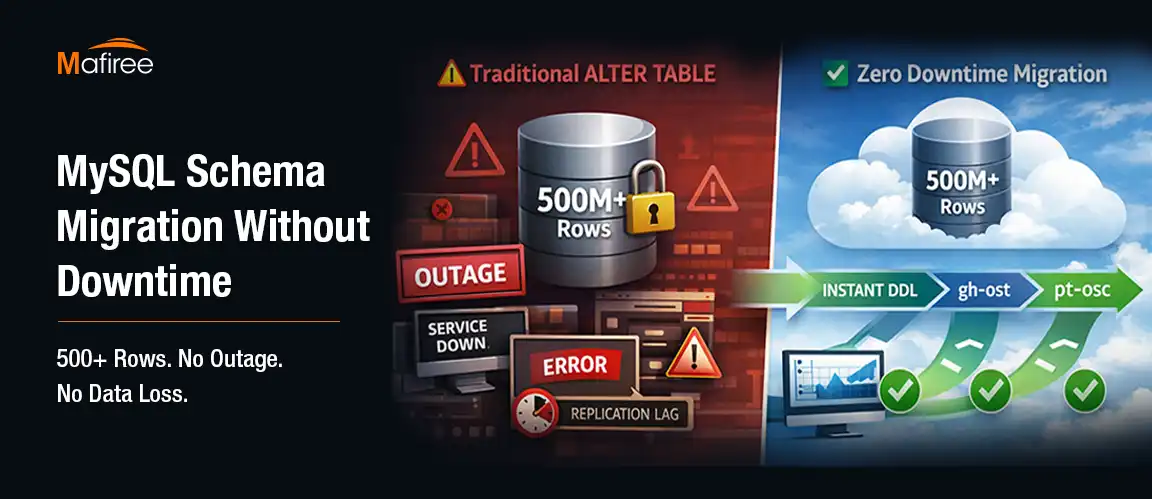
MySQL Schema Migration Without Downtime: A Real Fintech Case Study

Schema changes on large MySQL tables can bring production systems to a halt if not handled correctly. This case study walks through how Mafiree helped a fintech client execute a zero-downtime MySQL schema migration on a 500M+ row production database — covering the real challenges faced, the three-phase tool strategy using gh-ost, pt-online-schema-change, and MySQL 8.0 INSTANT DDL, production configuration settings with performance benchmarks, and best practices for safely evolving your MySQL schema without impacting users

  828 views
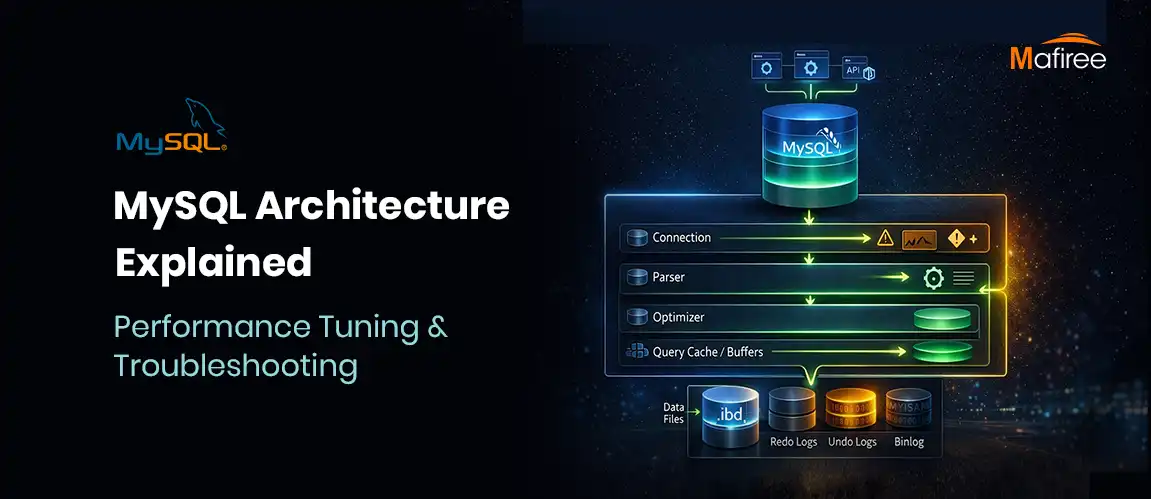
MySQL Architecture Explained: Performance Tuning & Troubleshooting Guide

MySQL features a unique tiered architecture that separates query processing from data storage through its pluggable storage engine model. This guide explores the core components—from connection handling and the SQL optimizer to the physical storage of data on disk. By understanding how engines like InnoDB provide ACID compliance and row-level locking, you can significantly improve your database's scalability. We also break down the query execution workflow and provide actionable tips for performance tuning, such as optimizing the buffer pool. Whether you're managing a replica set or a standalone instance, mastering MySQL’s internal structure is essential for building high-performance applications.

  605 views
The Evolution of MariaDB : Latest Features and What It Offers Compared to MySQL

Discover how MariaDB 11.x is redefining open-source databases with cutting-edge features like system-versioned tables, native AI-ready vector support, UUIDv7 for scalable inserts, and enterprise-grade security—all in the Community Edition, without the paywall.

  2398 views
Stop Hackers at the Gate: Restricting Brute-Force Attacks with MySQL’s Connection Control Plugin

“Fortify Your MySQL Security: Slow Down Attackers with Connection Control Plugin” Learn how the MySQL Connection Control Plugin helps defend against brute-force login attempts by introducing intelligent, progressive delays—without locking out legitimate users.

  1318 views
8 Major MySQL 8.4 Changes That Every Team Should Review Before Migration

Explore the 8 critical changes in MySQL 8.4 you need to know before migrating your production environment. From authentication updates to InnoDB defaults, this release brings significant operational implications for developers and DBAs.

  9181 views

Subscribe for email updates

Get in touch with us

Highlights

More than 6000 Servers Monitored

Happy Clients

Certified DBAs

24 x 7 x 365 Support

PCI

Database Services

MySQL MongoDB PostgreSQL SQL Server Aerospike Clickhouse TiDB MariaDB Columnstore

Quick Links

Careers Blog Contact Privacy Policy Disclaimer Policy

Contacts

Linkedin Mafiree Facebook Mafiree Twitter Mafiree

Nagercoil Office

Miru IT Park, Vallankumaranvillai,

Nagercoil, Tamilnadu - 629 002.

Bangalore Office

Unit 303, Vanguard Rise,

5th Main, Konena Agrahara,

Old Airport Road, Bangalore - 560 017.

Call: +91 6383016411

Email: sales@mafiree.com


Copyright © - All Rights Reserved - Mafiree