Mafiree logo
  • About
  • Services
  • Blogs
  • Careers
  • Products
    • orbit logo Orbit
    • streamer logo Xstreami
  • Contact
Schedule a Call
Menu
  • About
  • Services
  • Blogs
  • Careers
  • Products
    • orbit logo Orbit
    • streamer logo Xstreami
  • Contact
  • Schedule a Call
Database
Database Database Managed Services
MySQL MySQL
MySQL Consulting Services
MySQL Migration Services
MySQL Optimization & Query Tuning
MySQL Database Administration
MySQL Backup & Recovery
MySQL Security & Maintenance
MySQL Cloud Services (AWS RDS, Aurora, Google Cloud SQL, Azure)
MySQL for Ecommerce
MySQL High Availability & Replication
MongoDB MongoDB
MongoDB Consulting Services
MongoDB Migration Services
MongoDB Optimization & Query Tuning
MongoDB Database Administration
MongoDB Backup & Recovery
MongoDB Security & Maintenance
MongoDB Cloud (Atlas)
MongoDB Solutions by Industry
MongoDB High Availability & Replication
PostgreSQL PostgreSQL
PostgreSQL Consulting
PostgreSQL Migration & Upgrades
Performance Tuning & Query Optimization
PostgreSQL Administration & Managed Services
High Availability, Clustering & Replication
PostgreSQL Backup, Recovery & Disaster Planning
PostgreSQL Security, Compliance & Auditing
PostgreSQL for Analytics & Data Warehousing
PostgreSQL on Cloud & Containers
PostgreSQL Extensions & Open-Source Integrations
PostgreSQL for Every Industry
SQL Server MSSQL
MSSQL Consulting Services
MSSQL Migration Services
MSSQL Optimization & Query Tuning Services
MSSQL Database Administration Services
MSSQL Backup & Recovery Services
MSSQL High Availability & Replication Services
MSSQL Security & Compliance Services
MSSQL Performance Monitoring & Health Checks
MSSQL Solutions by Industry
Aerospike Aerospike
Aerospike Consulting Services
Aerospike Migration Services
Aerospike Performance Optimization & Tuning
Aerospike Database Administration
Aerospike Backup & Recovery
Aerospike High Availability
Aerospike Cloud & Hybrid Deployments
Aerospike for Real-Time Applications (AdTech, FinTech, Retail, IoT)
Analytics DB
Analytics DB Analytics DB Services
Clickhouse Clickhouse
ClickHouse Consulting Services
ClickHouse Migration Services
ClickHouse Optimization & Query Tuning
ClickHouse Database Administration
ClickHouse Backup & Recovery
ClickHouse Security & Maintenance
ClickHouse Cloud Services (ClickHouse Cloud, AWS, GCP, Azure)
ClickHouse Solutions by Industry
ClickHouse High Availability & Replication
TiDB TiDB
TiDB Consulting & Architecture Planning
TiDB Administration & Maintenance
TiDB Security and Privacy Maintenance
TiDB Performance & Query Optimization
TiDB Migration Services
TiDB Backup & Disaster Recovery
TiDB High Availability Solutions
TiDB Solutions by Industry
TiDB Cloud Services
ScyllaDB ScyllaDB
ScyllaDB Consulting & Architecture Planning
ScyllaDB Administration & Maintenance
ScyllaDB Security and Privacy Maintenance
ScyllaDB Performance & Query Optimization
ScyllaDB Migration Services
ScyllaDB Backup & Disaster Recovery
ScyllaDB High Availability Solutions
ScyllaDB Solutions by Industry
ScyllaDB Cloud Services
DevOps
DevOps DevOps Services
Version Control Version Control
Kubernetes Kubernetes
Infrastructure Infrastructure Management
Web Servers Web Servers
Networking
Networking Networking Services
Basic Basic
Advanced Advanced
MySQL MySQL
MongoDB MongoDB
PostgreSQL PostgreSQL
MSSQL MSSQL
Aerospike Aerospike
Clickhouse Clickhouse
TiDB TiDB
ScyllaDB ScyllaDB
Version Control Version Control
Kubernetes Kubernetes
Infrastructure Infrastructure Management
Web Servers Web Servers
Basic Basic
Advanced Advanced
MySQL Consulting Services
MySQL Migration Services
MySQL Optimization & Query Tuning
MySQL Database Administration
MySQL Backup & Recovery
MySQL Security & Maintenance
MySQL Cloud Services (AWS RDS, Aurora, Google Cloud SQL, Azure)
MySQL for Ecommerce
MySQL High Availability & Replication
MongoDB Consulting Services
MongoDB Migration Services
MongoDB Optimization & Query Tuning
MongoDB Database Administration
MongoDB Backup & Recovery
MongoDB Security & Maintenance
MongoDB Cloud (Atlas)
MongoDB Solutions by Industry
MongoDB High Availability & Replication
PostgreSQL Consulting
PostgreSQL Migration & Upgrades
Performance Tuning & Query Optimization
PostgreSQL Administration & Managed Services
High Availability, Clustering & Replication
PostgreSQL Backup, Recovery & Disaster Planning
PostgreSQL Security, Compliance & Auditing
PostgreSQL for Analytics & Data Warehousing
PostgreSQL on Cloud & Containers
PostgreSQL Extensions & Open-Source Integrations
PostgreSQL for Every Industry
MSSQL Consulting Services
MSSQL Migration Services
MSSQL Optimization & Query Tuning Services
MSSQL Database Administration Services
MSSQL Backup & Recovery Services
MSSQL High Availability & Replication Services
MSSQL Security & Compliance Services
MSSQL Performance Monitoring & Health Checks
MSSQL Solutions by Industry
Aerospike Consulting Services
Aerospike Migration Services
Aerospike Performance Optimization & Tuning
Aerospike Database Administration
Aerospike Backup & Recovery
Aerospike High Availability
Aerospike Cloud & Hybrid Deployments
Aerospike for Real-Time Applications (AdTech, FinTech, Retail, IoT)
ClickHouse Consulting Services
ClickHouse Migration Services
ClickHouse Optimization & Query Tuning
ClickHouse Database Administration
ClickHouse Backup & Recovery
ClickHouse Security & Maintenance
ClickHouse Cloud Services (ClickHouse Cloud, AWS, GCP, Azure)
ClickHouse Solutions by Industry
ClickHouse High Availability & Replication
TiDB Consulting & Architecture Planning
TiDB Administration & Maintenance
TiDB Security and Privacy Maintenance
TiDB Performance & Query Optimization
TiDB Migration Services
TiDB Backup & Disaster Recovery
TiDB High Availability Solutions
TiDB Solutions by Industry
TiDB Cloud Services
ScyllaDB Consulting & Architecture Planning
ScyllaDB Administration & Maintenance
ScyllaDB Security and Privacy Maintenance
ScyllaDB Performance & Query Optimization
ScyllaDB Migration Services
ScyllaDB Backup & Disaster Recovery
ScyllaDB High Availability Solutions
ScyllaDB Solutions by Industry
ScyllaDB Cloud Services
  1. Home
  2. > Blogs
  3. > MySQL
  4. > Guarding Your Account: 5 Essential Tips to Evade Common Password Mistakes.

Guarding Your Account: 5 Essential Tips to Evade Common Password Mistakes.

How to Secure your mysql database with the mysql validate password component

Sambath December 04, 2023

Subscribe for email updates

When it comes to managing user accounts, establishing strong passwords is a crucial aspect of safeguarding your digital assets. Despite implementing standard password policies, it’s not uncommon for individuals to inadvertently choose passwords that are easily guessable or susceptible to hacking.To ensure the robustness of your passwords, it’s advisable to steer clear of commonly used and easily crackable choices like “root@123” or “admin@123.”

As we delve into MySQL 8, we’ll explore methods to enforce complex password requirements, restricting users and database administrators from opting for easily compromised credentials.
You can read more about our old blog link also for a quick evaluation of your password’s strength, you can check out this link. It provides insights into the security level of your passwords.

Check Component Availability:

First, make sure whether the component is already installed or not by running the below mentioned command:

  1. mysql> select component_urn from mysql.component where component_urn like '%validate_password%';
  2. +------------------------------------------------+
  3. | component_urn                                 |
  4. +------------------------------------------------+
  5. | file://component_validate_password |
  6. +------------------------------------------------+
  7. 1 row in set (0.00 sec)

If it returns with an empty set, go ahead and follow the below installation steps. Else the component is already installed.

Install the Component:

Enable the component globally or for specific user accounts using the MySQL INSTALL COMPONENT command.
we can install the component by the below sql statement.

  1. mysql> install component 'file://component_validate_password';

1.Name As Password

Today we could see most of us using our username itself as password which is not a good practice at all. It may lead anyone to do password guessing and to access your account. In this case a feature in the validate password component comes handy which is known as ‘validate_password.check_user_name’. When it’s enabled it won’t allow users to set their usernames as their passwords.

For Example:

If we create a user as ‘sambath’ with a password ‘sambath’ will be rejected after enabling this variable.

  1. mysql> create user sambath@localhost identified by 'sambath';
  2. ERROR 1819 (HY000): Your password does not satisfy the current policy requirements

2.Mixed Case

A strong password must have at least one uppercase letter and a symbolic character in it. Which makes it a bit harder for anyone to guess or bruteforce the password. In the validate password component a variable called ‘validate_password.mixed_case_count’ will not allow any user to create or alter a password without an uppercase letter.

For Example:

  1.  
  2. mysql> create user sam identified by 'mas@1';
  3. Query OK, 0 rows affected (0.01 sec)
  4.  
  5. mysql> set global validate_password.mixed_case_count=1;
  6. Query OK, 0 rows affected (0.00 sec)
  7.  
  8. mysql> drop user sam;
  9. Query OK, 0 rows affected (0.03 sec)
  10.  
  11.  
  12. mysql> create user sam identified by 'mas@1';
  13. ERROR 1819 (HY000): Your password does not satisfy the current policy requirements

After including a higher case letter in the password ended up in a successful user creation.

  1. mysql> create user sam identified by 'Mas@1';
  2. Query OK, 0 rows affected (0.02 sec)

Same for symbols we can use the variable called ‘validate_password.special_char_count’ which scans for the symbols in a password. If there are none the user creation or alteration will be failed.

For Example:

  1. mysql> create user sam identified by 'Mas1';
  2. Query OK, 0 rows affected (0.03 sec)
  3.  
  4. mysql> set global validate_password.special_char_count=1;
  5. Query OK, 0 rows affected (0.01 sec)
  6.  
  7. mysql> drop user sam;
  8. Query OK, 0 rows affected (0.01 sec)
  9.  
  10. mysql> create user sam identified by 'Mas1';
  11. ERROR 1819 (HY000): Your password does not satisfy the current policy requirements

After including a symbolic character in the password, The user creation was successful.

  1. mysql> create user sam identified by 'Mas@1';
  2. Query OK, 0 rows affected (0.02 sec)

Similarly we can use ‘validate_password.number_count’ for including numerical values into the password which makes it even harder for compromising the credentials.

3.Common Passwords

Using some common words in the password will be easier for anyone to compromise the password. We should avoid using such types of words in the password. In this case we can use a variable in the validate password component called ‘validate_password.dictionary_file’ which stores a set of given wordlists in it. It scans the password with the wordlist and if it identifies similarities, It fails the user creation or alteration process.

For Example,

If we have the word ‘@dm!n’ inside the dictionary file it won’t allow the user creation with ‘@dm!n’ as password.

  1. mysql> create user sam identified by '@dm!n';
  2. ERROR 1819 (HY000): Your password does not satisfy the current policy requirements
  3. mysql> create user sam identified by '@dm!N';
  4. ERROR 1819 (HY000): Your password does not satisfy the current policy requirements
  5. mysql> create user sam identified by '@dm!n@123';
  6. ERROR 1819 (HY000): Your password does not satisfy the current policy requirements

4.Password Length

It’s very crucial to maintain the password length since a shorter password will be easier for anyone to compromise. In this case we can use a variable in the validate password component called ‘validate_password.length’ which helps us to set a minimum length for user password. If the password does not satisfy the minimum length value means the user creation or alteration will be failed.

For Example,

I tried creating a user with a password length of 4 resulted in the error.

  1. mysql> create user sam identified by 'T3$t';
  2. ERROR 1819 (HY000): Your password does not satisfy the current policy requirements

After modifying the password length variable to 4, The user created successfully.

  1.  
  2. mysql> set global validate_password.length=4;
  3. Query OK, 0 rows affected (0.00 sec)
  4. mysql> create user sam identified by 'T3$t';
  5. Query OK, 0 rows affected (0.02 sec)

5.Password Recycle

We all make this mistake which is not updating the passwords regularly or updating the password which is similar to the old one. Both are not good practices. In this case we can use a variable from the validate password component called ‘validate_password.changed_characters_percentage’ . In this variable we can set a minimum percentage for the characters that needs to be changed in the new password.

For Example:

If we set the value to 100 means no character in the old password can be repeated in the new one. If it repeats, the update will fail.

  1. mysql> alter user root@localhost identified by 'Sam@67890' replace 'Sam@12345';
  2. ERROR 4165 (HY000): The new password must have at least '9' characters that are different from the old password. It has only '5' character(s) different. For this comparison, uppercase letters and lowercase letters are considered to be equal.

Conclusion:

In conclusion, MySQL 8 offers indispensable features that enhance server security. By enabling these settings, it becomes impossible to create a user without adhering to stringent password policies.

At Mafiree, our commitment goes beyond optimizing database performance; we prioritize the implementation of these essential security standards to fortify your accounts.

If you require any support related to your database or if you want to fine tune your databases feel free to contact us at sales@mafiree.com.

Leave a Comment

Related Blogs

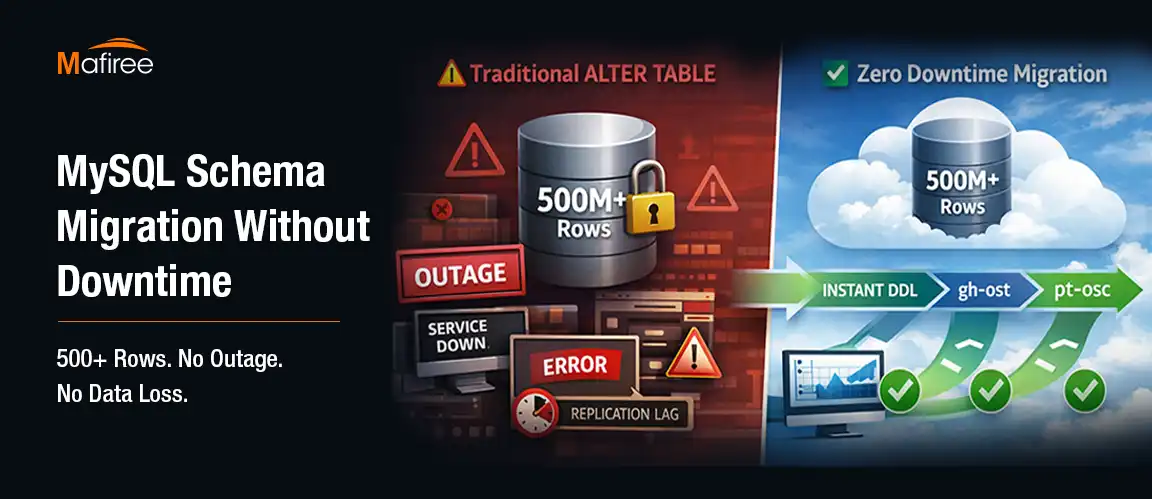
MySQL Schema Migration Without Downtime: A Real Fintech Case Study

Schema changes on large MySQL tables can bring production systems to a halt if not handled correctly. This case study walks through how Mafiree helped a fintech client execute a zero-downtime MySQL schema migration on a 500M+ row production database — covering the real challenges faced, the three-phase tool strategy using gh-ost, pt-online-schema-change, and MySQL 8.0 INSTANT DDL, production configuration settings with performance benchmarks, and best practices for safely evolving your MySQL schema without impacting users

  1295 views
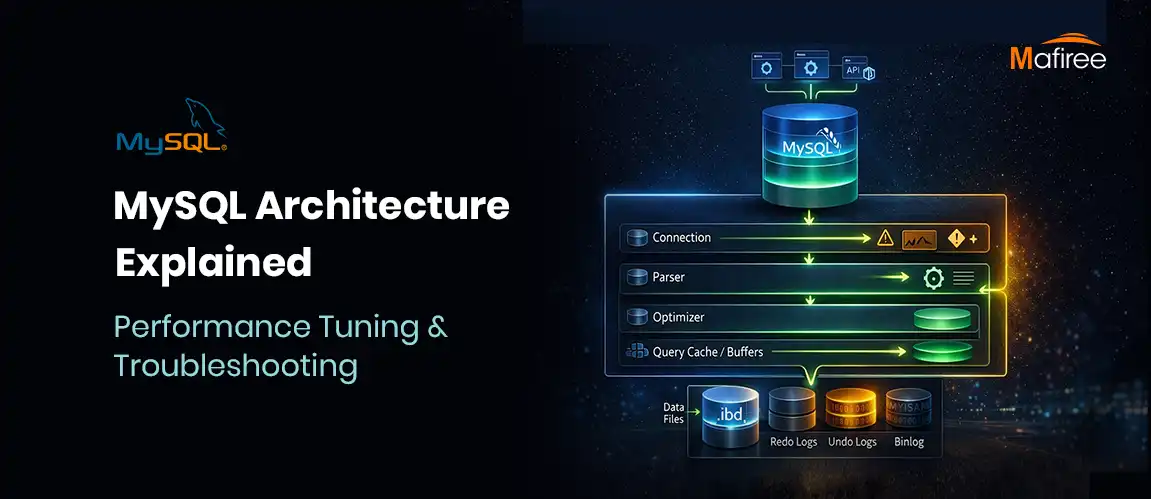
MySQL Architecture Explained: Performance Tuning & Troubleshooting Guide

MySQL features a unique tiered architecture that separates query processing from data storage through its pluggable storage engine model. This guide explores the core components—from connection handling and the SQL optimizer to the physical storage of data on disk. By understanding how engines like InnoDB provide ACID compliance and row-level locking, you can significantly improve your database's scalability. We also break down the query execution workflow and provide actionable tips for performance tuning, such as optimizing the buffer pool. Whether you're managing a replica set or a standalone instance, mastering MySQL’s internal structure is essential for building high-performance applications.

  885 views
The Evolution of MariaDB : Latest Features and What It Offers Compared to MySQL

Discover how MariaDB 11.x is redefining open-source databases with cutting-edge features like system-versioned tables, native AI-ready vector support, UUIDv7 for scalable inserts, and enterprise-grade security—all in the Community Edition, without the paywall.

  2598 views
Stop Hackers at the Gate: Restricting Brute-Force Attacks with MySQL’s Connection Control Plugin

“Fortify Your MySQL Security: Slow Down Attackers with Connection Control Plugin” Learn how the MySQL Connection Control Plugin helps defend against brute-force login attempts by introducing intelligent, progressive delays—without locking out legitimate users.

  1425 views
8 Major MySQL 8.4 Changes That Every Team Should Review Before Migration

Explore the 8 critical changes in MySQL 8.4 you need to know before migrating your production environment. From authentication updates to InnoDB defaults, this release brings significant operational implications for developers and DBAs.

  49 views

Subscribe for email updates

Get in touch with us

Highlights

More than 6000 Servers Monitored

Happy Clients

Certified DBAs

24 x 7 x 365 Support

PCI

Database Services

MySQL MongoDB PostgreSQL SQL Server Aerospike Clickhouse TiDB MariaDB Columnstore

Quick Links

Careers Blog Contact Privacy Policy Disclaimer Policy

Contacts

Linkedin Mafiree Facebook Mafiree Twitter Mafiree

Nagercoil Office

Miru IT Park, Vallankumaranvillai,

Nagercoil, Tamilnadu - 629 002.

Bangalore Office

Unit 303, Vanguard Rise,

5th Main, Konena Agrahara,

Old Airport Road, Bangalore - 560 017.

Call: +91 6383016411

Email: sales@mafiree.com


Copyright © - All Rights Reserved - Mafiree